Need help?
Do you have a question about the Huawei SNE-LX1 and is the answer not in the manual?
Instructions for powering on, off, and restarting the device.
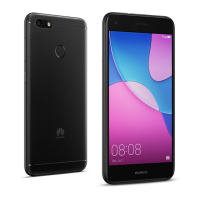
Identifies and describes the physical components of the device.
Guide on inserting SIM cards and microSD cards correctly for single and dual SIM configurations.
Lists ways to get more information, including tips, websites, and settings paths.
Covers critical safety guidelines for device usage, environment, and handling to prevent hazards.
RF compliance specifications for when the device is used close to the body.
Specific Absorption Rate (SAR) values reported to the FCC for ear, body, and Wi-Fi hotspot use.
Standard FCC statement regarding Class B digital device compliance and interference.
Lists trademarks and permissions related to Huawei and its technologies.
Provides information on how personal data is protected and where to find the privacy policy.
This document is a Quick Start Guide for a Huawei device, specifically models SNE-LX1, SNE-LX2, and SNE-LX3. It provides essential information on getting started with the device, safety, regulatory compliance, and legal notices.
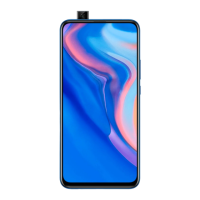
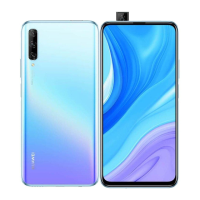
The device is a mobile phone designed for communication and various smart functions. It features a display, cameras (front and rear), a fingerprint scanner, a USB-C port, a headset jack, and a speaker. It supports cellular network connectivity (GSM, WCDMA, LTE), Wi-Fi, Bluetooth, and NFC (on SNE-LX1 only). The device operates on a dual-card dual-standby single-pass system for dual-SIM models, meaning only one SIM card can be actively used for calls or data services at a time. This design helps optimize power consumption and standby time.
Powering On/Off and Restarting: To power on the device, press and hold the power button until the screen turns on. To power off, press and hold the power button, then touch the power off icon. To restart, press and hold the power button, then touch the restart icon. For a forced restart, press and hold the power button for 10 or more seconds.
SIM and microSD Card Installation: The device supports either a single SIM card or dual SIM cards, and some models may also support a microSD card for expanded storage. The guide provides clear illustrations for inserting the SIM and microSD cards into the card tray using the included eject pin. It emphasizes the importance of correct card alignment and ensuring the tray is level during insertion. Users are cautioned against inserting or removing cards while the device is powered on to prevent damage. Modified or cut cards should not be used as they may not be recognized and could damage the card tray.
NFC Functionality: For the SNE-LX1 model, NFC (Near Field Communication) is supported. When using NFC, it is important to keep the NFC area of the device close to other NFC-enabled devices or objects to ensure proper function.
Dual SIM Management (for dual-SIM devices): In dual-SIM devices, while one SIM card is in use for a call, the other SIM card cannot make or receive calls. Similarly, if one SIM card is using data services, the other SIM card's data service will be disabled. To manage potential conflicts, users can enable call forwarding between SIMs through the "Settings > Wireless & networks > Dual SIM settings" menu.
Information Access: The device provides access to various information resources. Users can find function details and usage tips in the "Tips" application. Device information, FAQs, and support contact details are available on the Huawei consumer website. Legal information, safety information, regulatory information, and certification logos can be accessed through the device's "Settings > System > About phone" menu.
Safety Guidelines: The guide outlines several safety precautions to ensure proper operation and user well-being. These include:
Disposal and Recycling: The device, battery, and accessories should be disposed of according to local regulations, not with normal household waste. The crossed-out wheeled-bin symbol indicates that electronic products and batteries must be taken to designated waste collection points for separate recycling. Proper recycling helps conserve materials and protects human health and the environment.
Software Updates: The manufacturer will release software updates to fix bugs and enhance functions after the product's release. All released software versions are verified to comply with relevant rules. Users cannot access or change RF parameters such as frequency range and output power.
 General
| Model | Huawei SNE-LX1 |
|---|---|
| Category | Cell Phone |
| Display Type | IPS LCD |
| RAM | 3GB |
| Internal Storage | 32GB |
| SIM | Dual SIM (Nano-SIM, dual stand-by) |
| Operating System | Android 8.1 (Oreo), upgradable to Android 9.0 (Pie), EMUI 9.1 |
| CPU | Octa-core (4x1.7 GHz Cortex-A53) |
| Main Camera | 2 MP |

 To Next Page