Scan the QR code to download and install the HUAWEI AI Life app, where you can try out more features and
customize the settings for your earbuds.
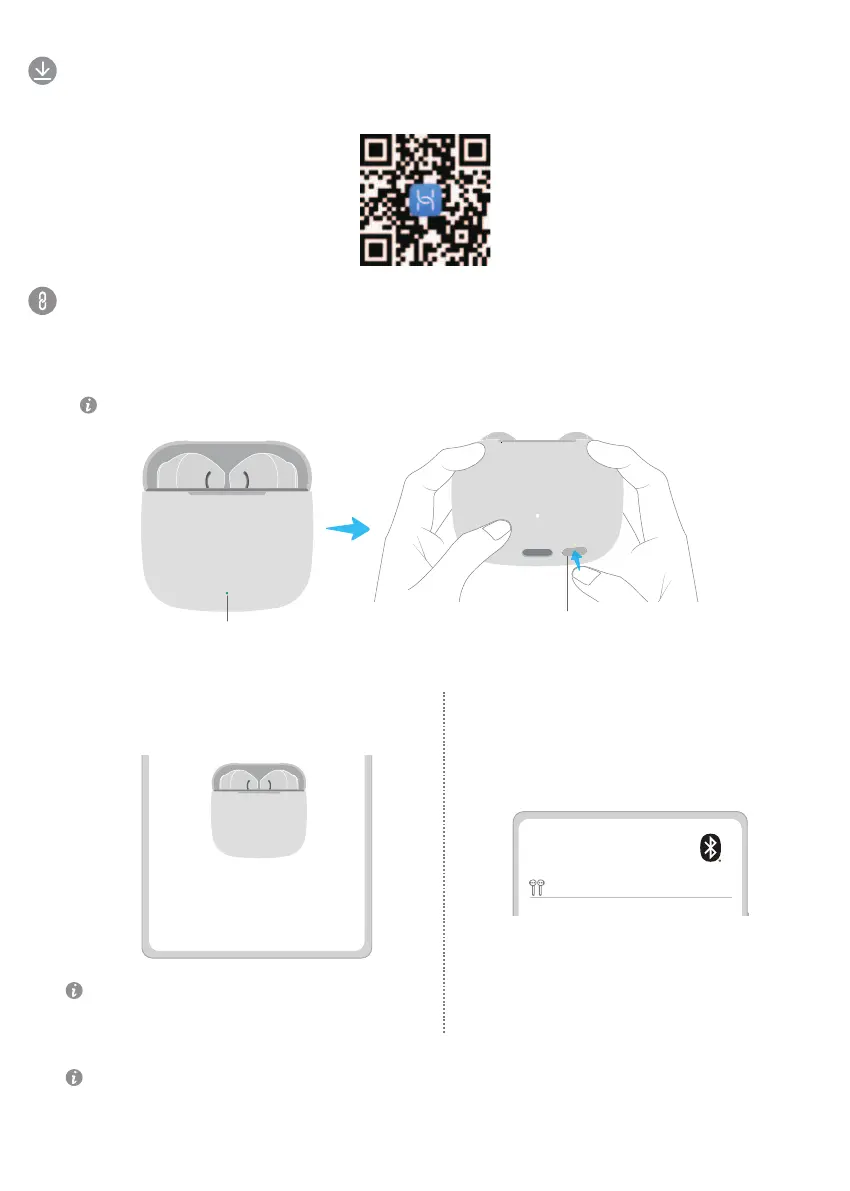
Downloading and installing the app
Pairing and connecting
When you open the charging case for the first time, the indicator will flash white, and the earbuds will automatically enter Pairing
mode.
1. Enable Bluetooth on the device you wish to pair with the earbuds.
2. Open the charging case and leave the earbuds inside. Hold down on the Function button for 2 seconds until the
indicator flashes white. The earbuds will then enter Pairing mode.
3. Pair the earbuds in either of the following ways:
Method 2: Bluetooth pairing
Search for the earbuds in the Bluetooth settings on
your phone/tablet and complete the pairing.
Method 1: Proximity pairing
Place the earbuds close to your phone/tablet, and
touch CONNECT on the displayed pop-up.
Open the charging case and leave the earbuds inside. Hold down on the Function button for 10 seconds until the indicator flashes
red. The earbuds will then be restored to their factory settings before re-entering Pairing mode.
Restoring the earbuds to their factory settings
Proximity pairing is supported on select HUAWEI
phones/tablets running EMUI 10.0/HarmonyOS 2.0 or later.
Quick Start Guide
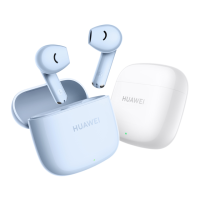
HUAWEI FreeBuds SE 3
CANCEL CONNECT
HUAWEI FreeBuds SE 3
Function button
Indicator
1


 To Next Page