This document is a Quick Start Guide for the HUAWEI WiFi Q2 Pro, a mesh Wi-Fi system consisting of a base router and satellite routers. The guide provides instructions for setting up the device, connecting cables, configuring the router, and troubleshooting common issues. It also includes safety information, regulatory compliance details, and product specifications.
Function Description
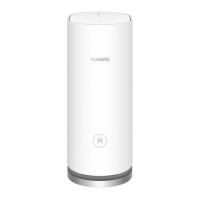
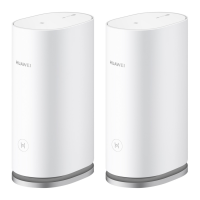
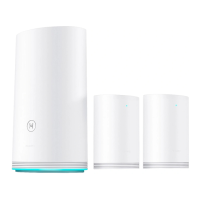
The HUAWEI WiFi Q2 Pro is a mesh Wi-Fi system designed to provide seamless internet access throughout a home or office. It consists of a base router and one or more satellite routers. The base router connects to the internet via an optical modem, broadband modem, or cable modem. The satellite routers extend the Wi-Fi coverage of the base router to other rooms, either wirelessly or through wired connections. The system aims to provide a stable and fast Wi-Fi network, automatically connecting devices to the router with the best signal as users move around their home. The H button on the routers facilitates easy pairing of additional Huawei routers to expand the network.
Important Technical Specifications
- Product Models: WS5280 V2 (base router) and PT8020 V2 (satellite router).
- Wi-Fi Standards: Wi-Fi 2.4G and Wi-Fi 5G.
- Frequency Bands:
- Wi-Fi 2.4G: 20 dBm
- Wi-Fi 5G: 5150-5350 MHz (23 dBm), 5470-5725 MHz (30 dBm)
- Ports:
- Base Router: Power port, WAN port (for connecting to modems), LAN port (for connecting to wired internet devices).
- Satellite Router: Power port, LAN port (for connecting to wired internet devices).
- Buttons: H button (for pairing and WPS functionality), RESET button (for factory reset).
- Indicators: LED indicator (steady blue for connected, steady red for not connected, flashing for pairable device detected).
- Operating Temperature: 0°C to 40°C.
- Storage Temperature: -40°C to +70°C.
- Minimum Distance from Radiator to Body: 20 cm.
- Software Versions: 9.0.3.8 (WS5280 V2) and 9.0.3.8 (PT8020 V2).
Usage Features
- Easy Setup: The base router can be configured using the HUAWEI SmartHome app or through a web-based management page.
- Plug-and-Play Satellite Routers: After configuring the base router, satellite routers can be simply plugged into a power supply to extend Wi-Fi coverage. Satellite routers included in the pack are plug-and-play and do not require reconfiguration after a factory reset.
- Seamless Roaming: The Wi-Fi name and password for both base and satellite routers are the same, allowing devices to automatically connect to the router with the best signal.
- Prioritize 5 GHz: An option to prioritize the 5 GHz Wi-Fi network, which automatically connects devices to the faster Wi-Fi network when 2.4 GHz and 5 GHz names are the same.
- Expandable Coverage: Additional satellite routers can be purchased separately to further expand Wi-Fi coverage.
- WPS Functionality: The H button on the router also supports WPS (Wi-Fi Protected Setup) for easy pairing of Wi-Fi devices.
- Broadband Account Retrieval: The system can retrieve broadband account and password from an old router, simplifying the setup process for users who have forgotten their credentials.
- VLAN Configuration: Supports VLAN configuration, with instructions to contact the broadband carrier for parameters.
- SmartHome App Integration: The HUAWEI SmartHome app provides a user-friendly interface for router configuration and management.
Maintenance Features
- Factory Reset: Both base and satellite routers can be restored to factory settings by pressing and holding the RESET button for approximately two seconds until the indicator goes out. This is useful for troubleshooting or reconfiguring the network.
- Indicator Lights for Status: The LED indicator provides clear visual cues for the router's status (connected, not connected, or ready for pairing), aiding in quick troubleshooting.
- Troubleshooting Guide: The manual includes a comprehensive FAQ section to address common issues such as beeping noises, automatic connection to old Wi-Fi networks, router not being recognized by the app, and configuration problems.
- Software Updates: Huawei regularly releases software updates to improve security and enhance functions.
- Privacy Policy: A privacy policy is provided to inform users about how their personal information is used and protected.
- Disposal and Recycling Information: Detailed instructions are provided for the proper disposal and recycling of electronic waste and batteries, emphasizing environmental protection.
- Usage Restrictions: Do not use the device where prohibited or if it causes interference with other electronic devices.
- Pacemaker Safety: Maintain a minimum distance of 15 cm between the device and a pacemaker.
- Environmental Conditions: Avoid dusty, damp, dirty, or magnetic environments.
- Temperature Limits: Ideal operating temperatures are 0°C to 40°C; ideal storage temperatures are -40°C to +70°C.
- Ventilation: Keep the device and accessories in a well-ventilated, cool area away from direct sunlight. Do not cover or enclose the device.
- Installation Distance: Maintain a minimum distance of 20 cm between the radiator and the user's body.
- Power Adapter: Use only approved and compatible power adapters, chargers, or batteries to prevent fire or explosion.
- Socket Accessibility: For pluggable devices, the socket-outlet should be near the device and easily accessible.
- Handling Precautions: Unplug the power adapter when not in use and avoid touching the device or adapter with wet hands to prevent electric shocks.
- EMI Filters: Some power strips with EMI filters may prevent satellite routers from accessing the internet; direct wall sockets are recommended.
- Cable Management: Do not bundle Ethernet and power cables together, as this may affect signal quality.
Regulatory Compliance
- EU Regulatory Conformance: Declared compliance with Directive 2014/53/EU for essential requirements.
- Hazardous Substances: Compliant with local rules on the restriction of hazardous substances (REACH, RoHS, and Batteries regulations).
- WLAN Restrictions: WLAN function is restricted to indoor use only when operating in the 5150 to 5350 MHz frequency range in certain EU member states.
- Norway Specific Restriction: 2.4 GHz band restriction within a 20 km radius from the center of Ny-Ålesund.
- ErP Product Information: Compliant with the Energy-related Products Directive (ErP) 2009/125/EC.

 Need help?
 General



 To Next Page