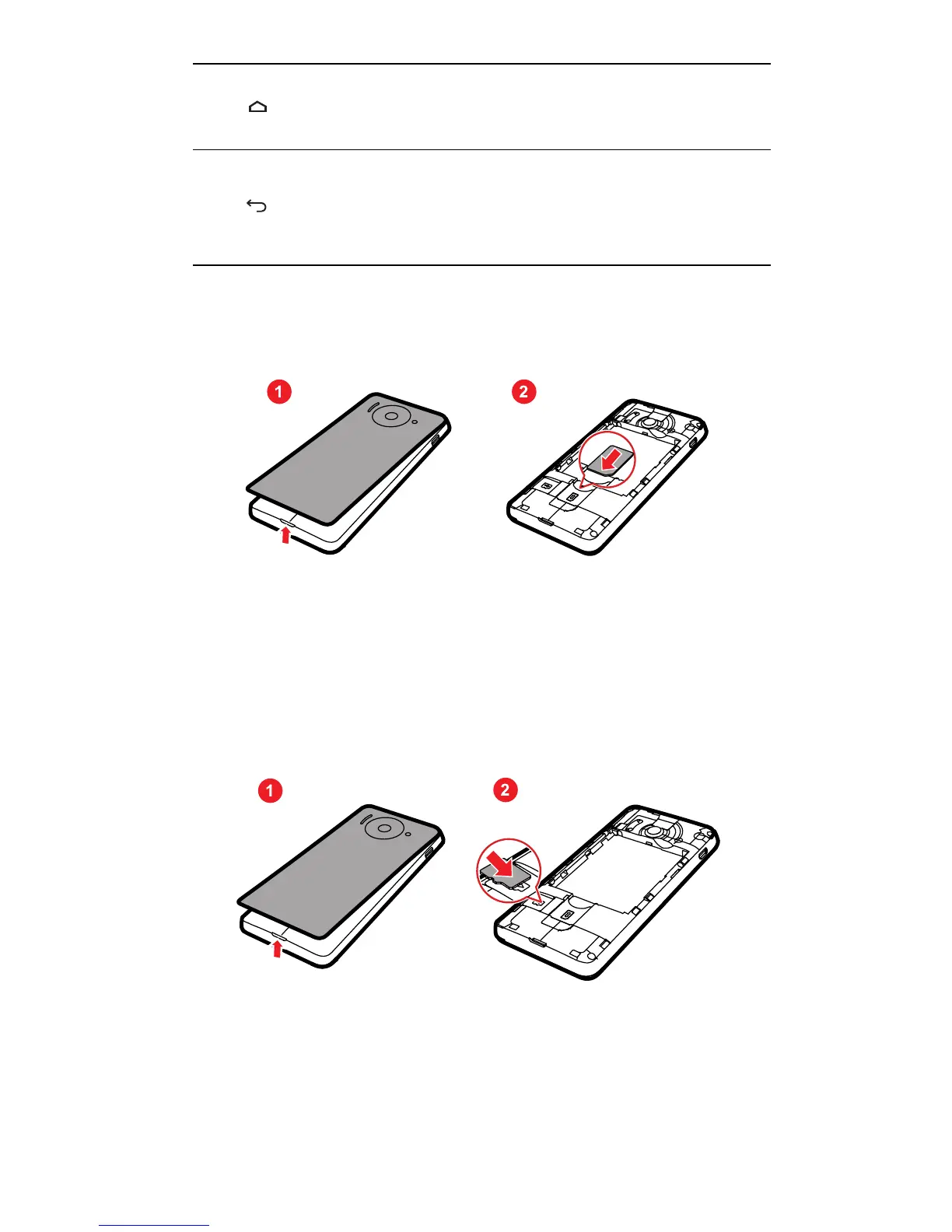
Installing the SIM Card
There are two steps to install the SIM card:
1. Remove the battery cover.
2. Insert the SIM card.
Installing the microSD Card
If you want to expand your phone memory, you can also insert a
microSD card.
1. Remove the battery cover.
2. Insert the microSD card into the card slot as shown in the
diagram.
• Touch to return to the Home screen.
• Touch and hold to display recently used applications.
• Touch to return to the previous screen or exit the
application you are running.
• Touch to hide the keyboard.



 To Next Page