Removing the microSD Card
1. Remove the battery cover.
2. Pull the microSD card outward.
3. Rotate your phone until the microSD card falls out.
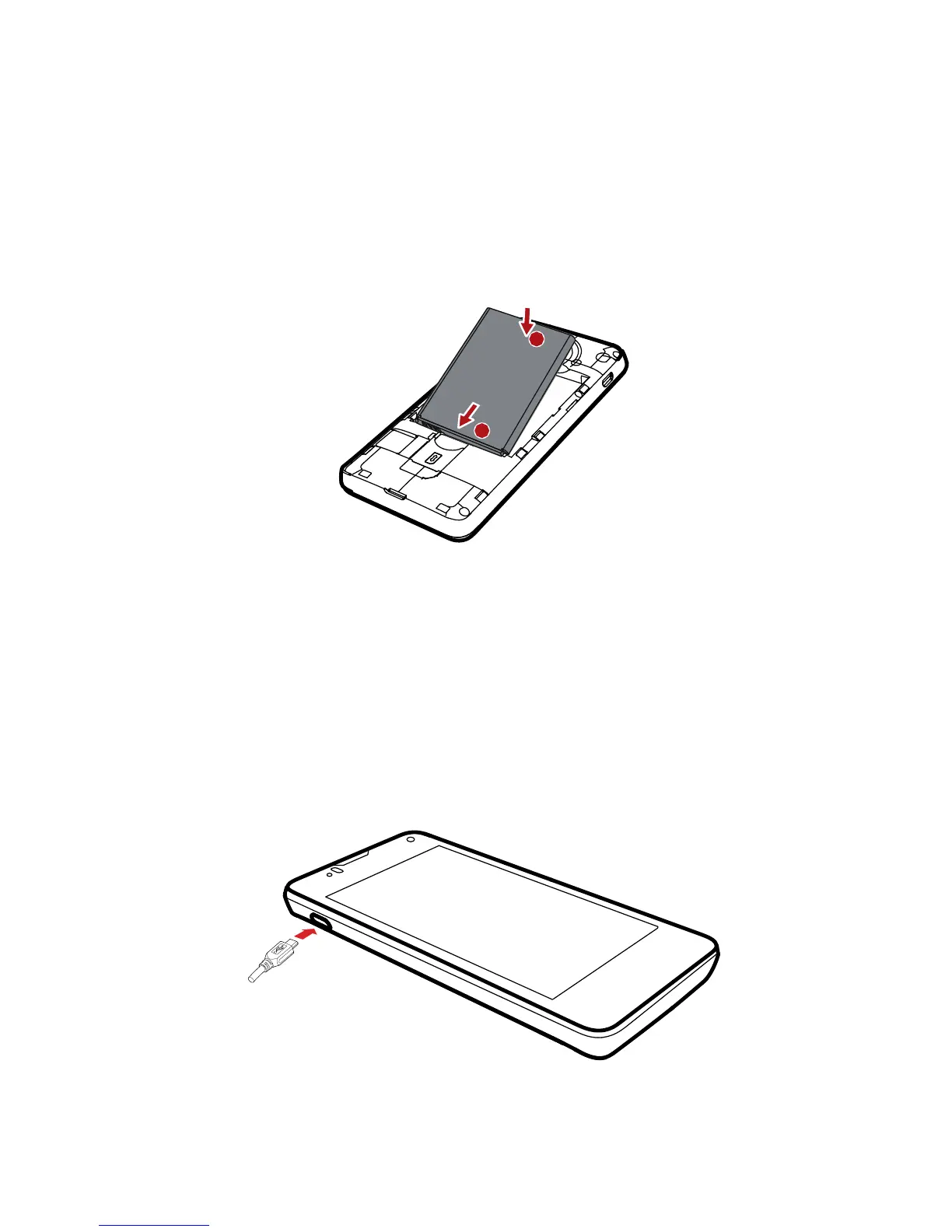
Installing the Battery
1. Angle the edge labeled
a
(with the contacts) into the bottom end
of the battery compartment.
2. Push the edge labeled
b
into the compartment until the battery
clicks firmly into place.
Charging the Battery
Before charging the battery, ensure that it has been properly installed
on your phone.
1. Connect the USB cable that came with your mobile phone to
th
e charger.



 To Next Page