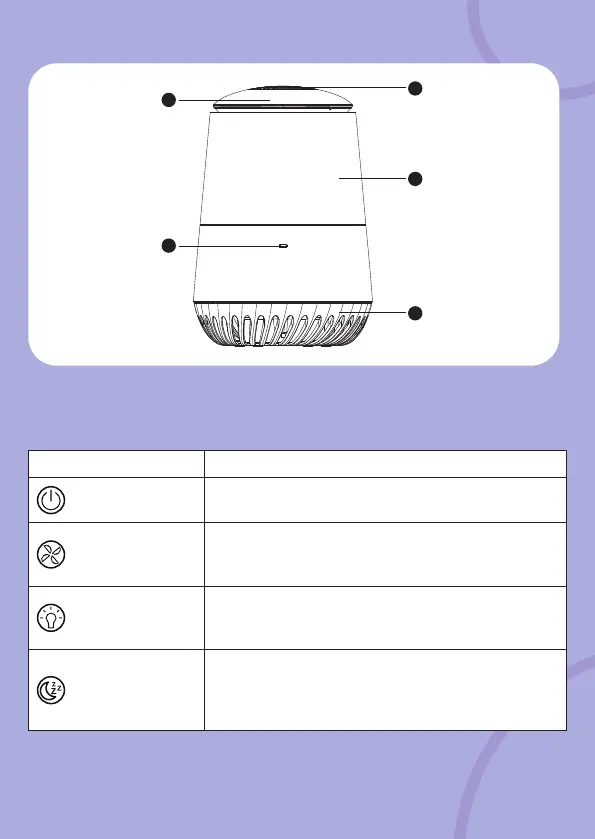
Overview of the Air Purifier
Functions Descriptions
On/Off key
Toggle to power on (Blue key backlit) and power
off (Red key backlit).
Fan Speed key
Tap to select fan speeds: Low (low Blue key
backlit); Middle (moderate Blue key backlit); High
(bright blue key backlit).
Night Light key
Blue key backlit: 7 Night Light colors plays in cyclic,
tap once the button to conrm the color selection,
long press for 3s to switch off the Night Light.
Sleep On key
Tap to enter Sleep On mode: Backlit key LED turns
to dim blue, the Fan speed is locked at low speed
and Night Light will be off. Tap twice to switch off
the Sleep On mode.
5
1
2
4
3
1. Air Outlet
2. Night Light Cover
3. Micro-USB power socket
4. Bottom cover (HEPA lter
compartment access)
5. Touch Control Panel



 To Next Page