7
Getting Started
English
2. Getting Started
2.1 Install HEPA filter for your Air Purifier
• Take the HEPA filter out from polybag.
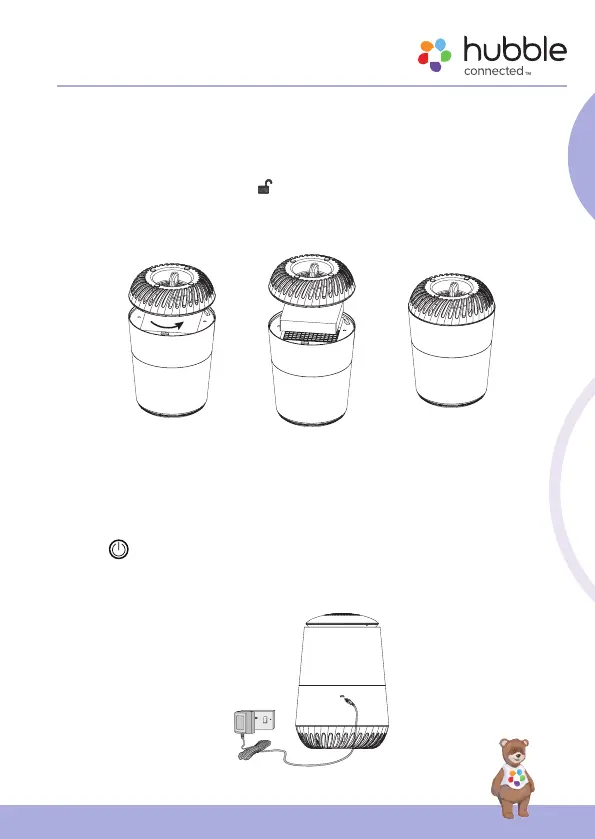
• Follow the UNLOCK mark to to loose the bottom cover (Fig. 1).
• Put back the HEPA filter into the compartment (Fig. 2).
• Replace the bottom cover then rotate to lock (Fig. 3).
• Place the unit back to upright position.
Unlock
2.2 Connect Air Purifier to Power Supply
• Connect the micro-USB plug of the power adaptor to the air purifier and
the other end to the electrical outlet.
• Use only the enclosed power adaptor (5VDC 2A).
• The
button will light up momentarily and the backlight will stay on
for 5s then goes off. It will light up again when you tap to turn on the Air
Purifier.



 To Next Page