Ver 1.2 7/15
2. Rear View……………………………………………………………………………………
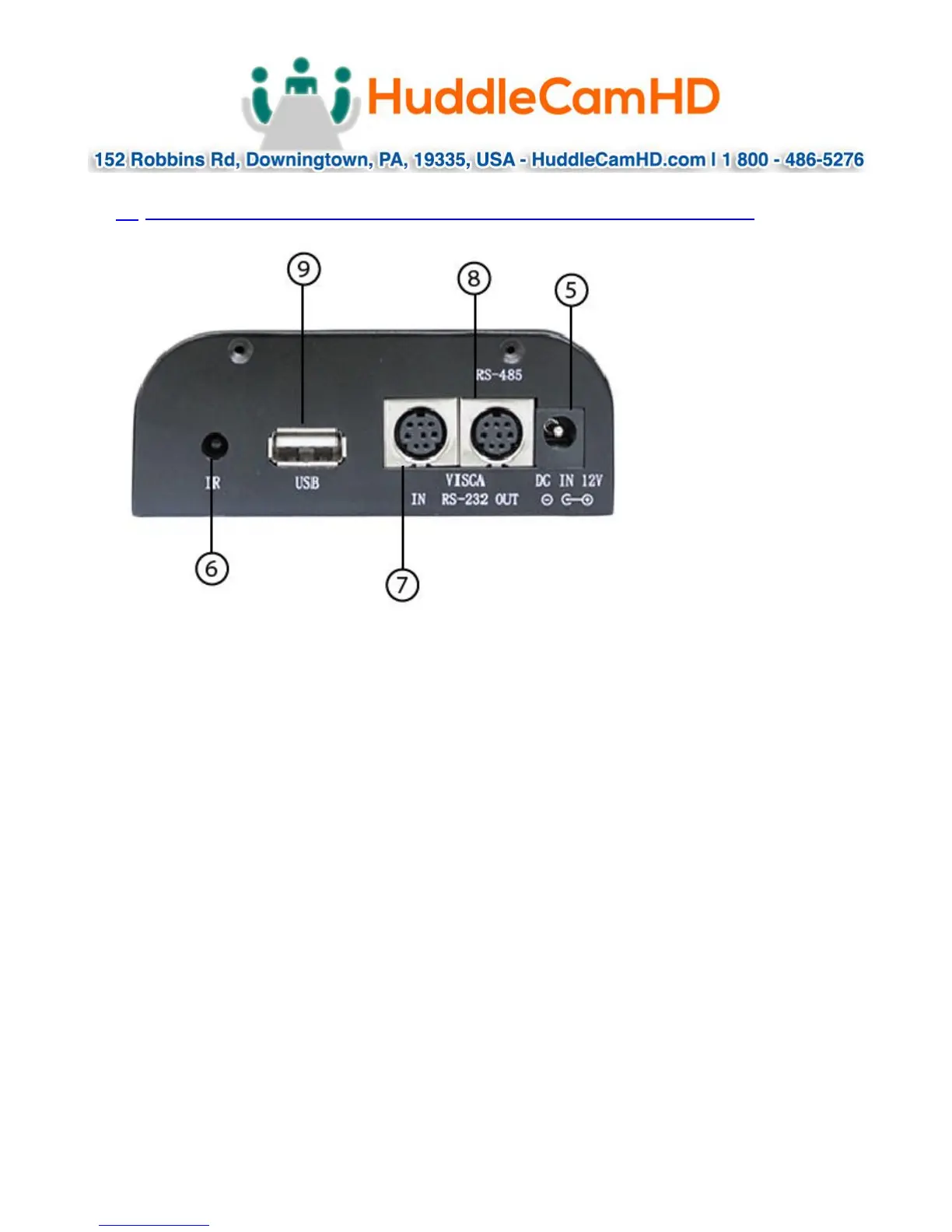
5. DC IN 12V Socket
Only use the Power Adapter supplied with this camera.
6. IR Receiver
To receive IR remote controller signals.
7. VISCA IN Port
For hard wired remote control from a 3
rd
party PC, joystick, etc...
8. VISCA Out Port/RS485
Used for daisy chaining multiple cameras for RS-232 RS-485 control.
9. USB 2.0 Interface
For connection to PC (USB 2.0 port. Will also function in a USB 3.0 port as USB 2.0
device).



 To Next Page