ARTIFICIAL TURF
If you purchased the Flex Tripod Kit (optional), the stakes
should NOT be used on articial turf. If used on articial
turf, tripod may not be stabilized and serious injury or
property damage may result.
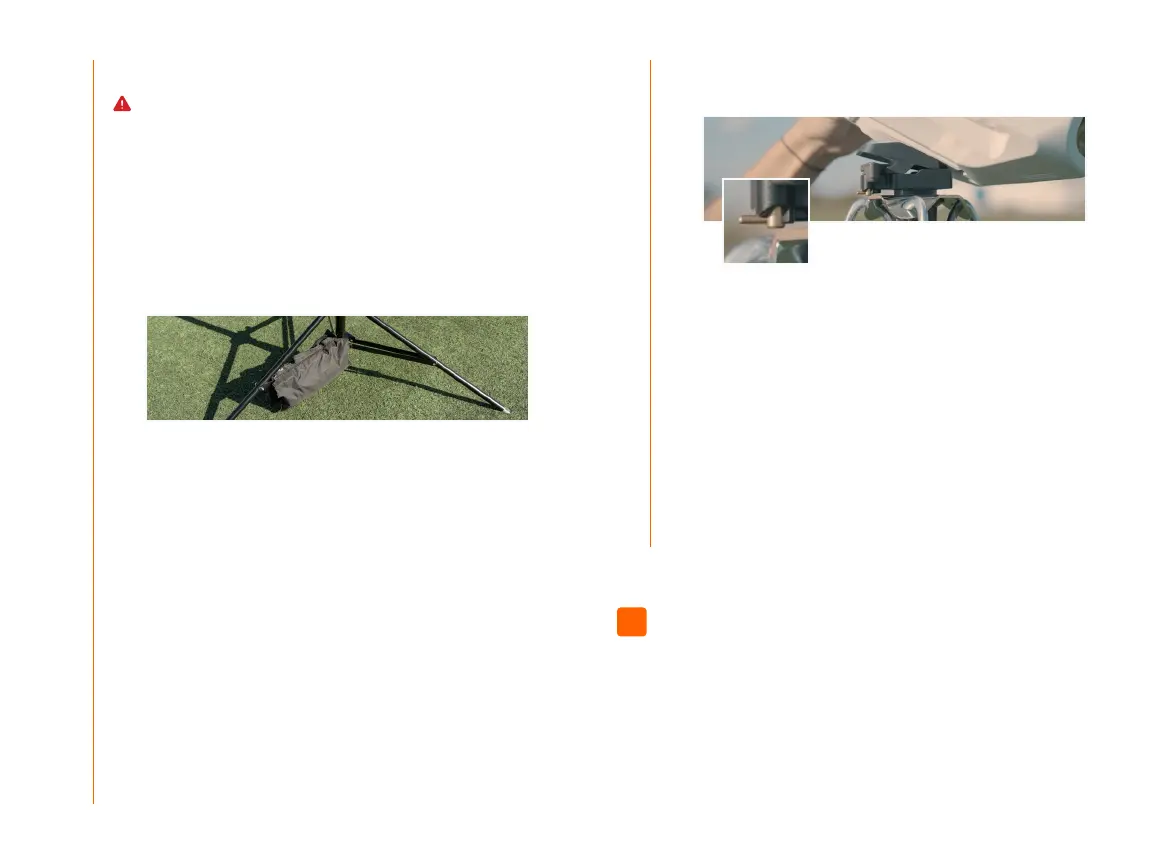
1. Fill and place the sandbag.
Fill the sandbag provided in your Stabilization Kit
with 30 lbs (13.6 kg) of sand. Place it across the
tripod leg brace so that the handle of the sandbag is
parallel to a leg brace extension.
2. Turn on the camera
Remove the camera from the backpack and press
the power button on the back of the device—a white
light on the front of the camera will appear indicating
it is powered on.
5. Raise the camera
Raise the tripod to the recommended height, based
on your distance from the sideline—between 12 feet
and 20 feet or 3.6 meters and 6 meters. Check
page 12 for exact height and distance measurements.
6. Continue on to Step 04 to complete your setup.
3. Look for the angle adapter under the camera
Check that the angle adapter is properly fastened to
the bottom of the camera.
Make sure the camera is facing the eld away
from the sun, angled downwards and aligned with
the sideline.
4. Attach the camera to the tripod
Pull the latch open on the tripod base and slide the
camera (with the attached angle adapter) onto this
base. It should click once it’s secure. Next, use the
brass lever to lock the camera into place.
03b 03b
Log in to the Focus App
Using your Hudl account, log in to the Focus app.
04
09


 To Next Page
 Loading...