10 support@huehd.com
SKYPE™
Clicking the Skype™ button will
automatically launch Skype™.
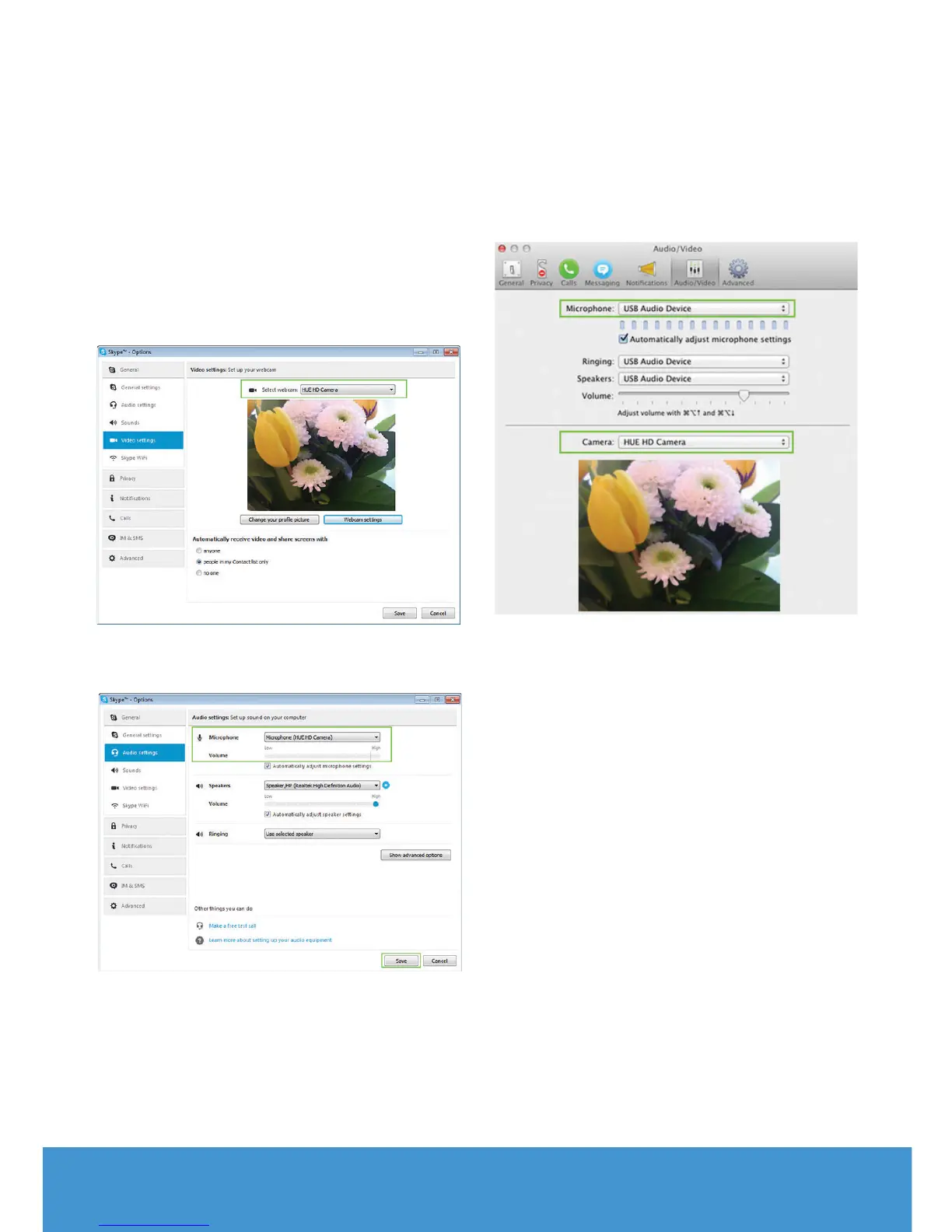
Open the Tools menu and pick Options,
then go to the Video settings. The HUE
camera should be selected and showing
a preview of your video as below.
The Audio settings tab lets you check
that HUE’s USB microphone is selected.
On a Mac, the settings are in Preferences
then the Audio/Video tab
Note: If Skype™ isn’t installed on your
computer, you’ll be taken to the Skype™
website in order to download and install
the software.


 To Next Page