6 support@huehd.com
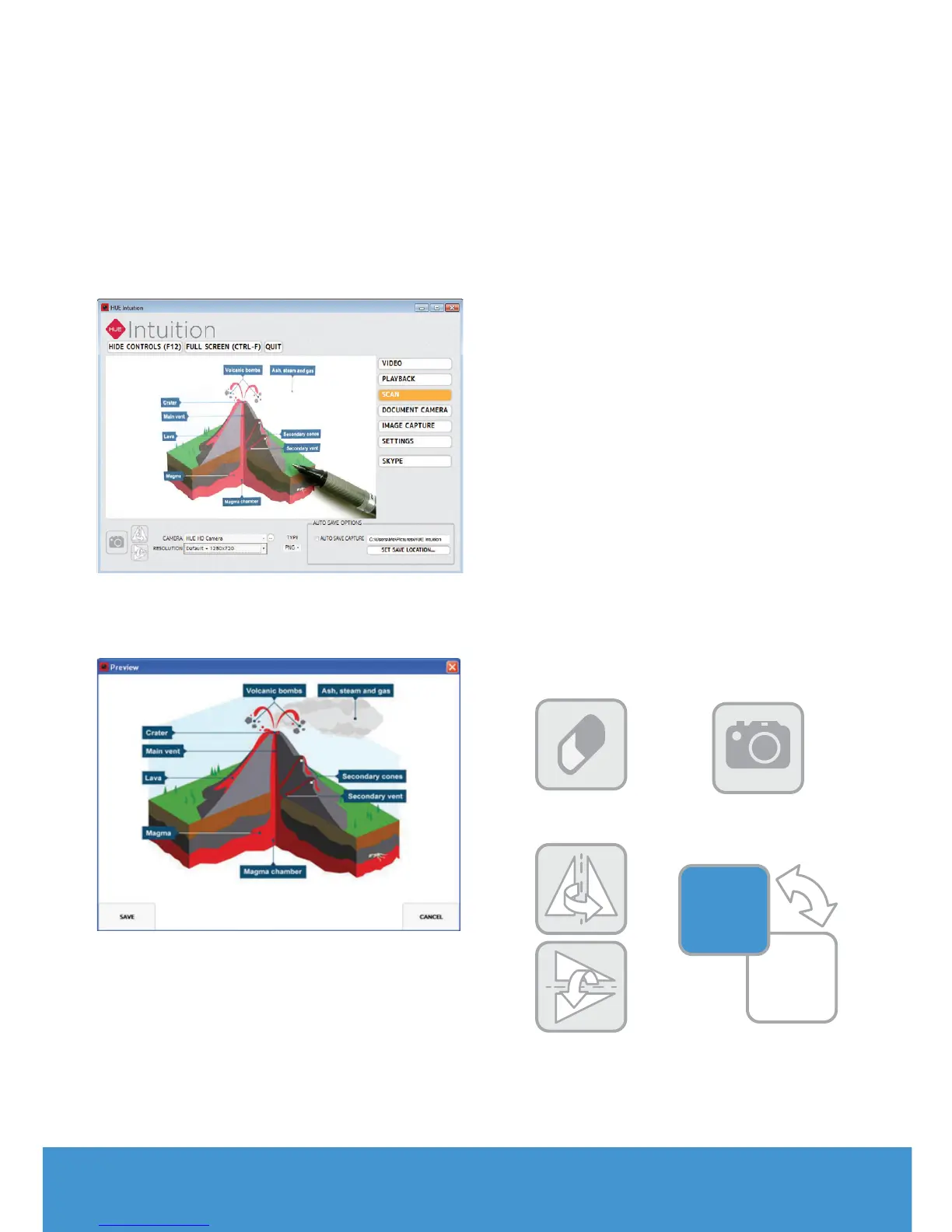
SCAN
This function allows you to save
still images in dierent formats. It’s
suitable for scanning a large number of
documents quickly using your
HUE camera.
You can rotate your images vertically
or horizontally.
Tip: If you want to review each scanned
image before saving it, uncheck the Auto
Save Capture box in the bottom right.
DOCUMENT CAMERA
This feature lets you add annotations to
the live video stream. The edited images
can then be saved to your computer for
future use.
To choose a tool, click the icon and
move your cursor. The tool will turn
orange, indicating that it has been
selected.
Delete: Use the eraser to delete
anything you have added to the
image. If you want to clear all of your
annotations at once, use the button in
the bottom right of the toolbox.
Snapshot: Use the camera button to
take a picture at any time.
Rotate: Flip or mirror the live video
vertically or horizontally, without having
to move the camera.
Colour swatches: Use the colour picker
to choose your colour for annotations
and filling/outlining shapes.
Snapshot button
Rotate buttons
Colour swatches
button
Delete button


 To Next Page