www.huehd.com 7
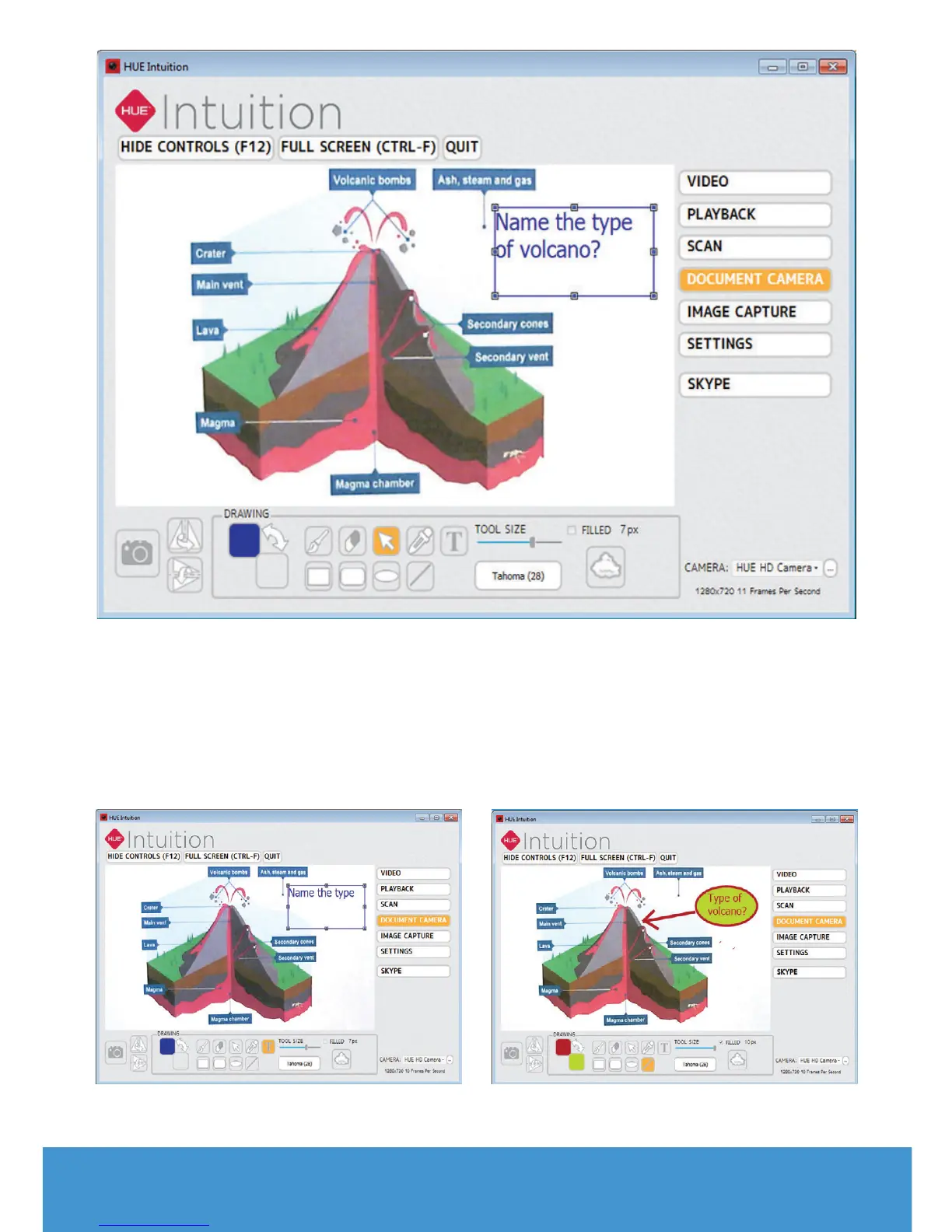
You can add Text using the T button.
Change the font or size by using the
slider and list adjacent to the button.
The pointer tool (arrow) can be used to
select an existing text box if you want to
make changes.
Add shapes and change the fill and
border colours using the colour
swatches. If you want to create a shape
which is already filled with a solid colour,
check the Filled box.


 To Next Page