8 support@huehd.com
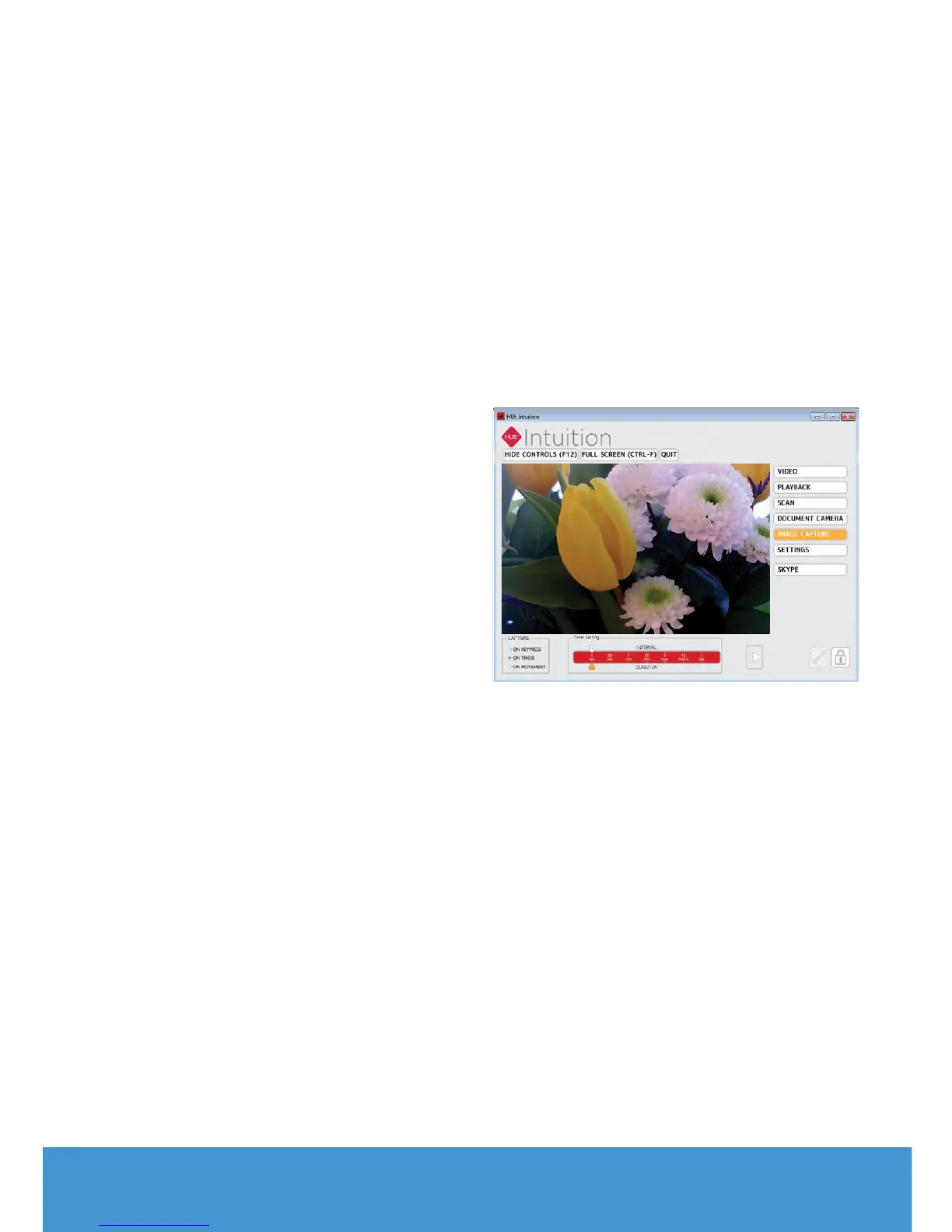
IMAGE CAPTURE
Use this mode to capture still images.
There are three dierent capture
methods you can choose from:
On Keypress: Choose when you want
to take each picture by pressing a
designated key on your keyboard.
On Timer: Set a timer to take pictures
automatically. The Interval is the gap
between each picture, while the Duration
is the period over which you want to
take pictures. For example, if you wanted
to show a flower opening up in the
sunlight, you could set the timer to take
a picture at an Interval of every minute
for a Duration of 12 hours. Or if you want
to record the activity in your classroom,
you could set the camera to record an
image every 30 seconds (Interval) for an
hour (Duration).
On Movement: This mode captures an
image each time the camera detects
movement - a bit like a security camera.
Select your capture method and
click the Capture button to start.
You can stop recording at any time
by pressing the same button again
(its icon will change to a square once
capture has begun)
Note: Advanced users can configure the
software to upload the captured images
to an FTP server automatically if it’s
necessary to monitor the camera online.


 To Next Page