12 support@huehd.com
How do I focus the HUE HD
Pro camera?
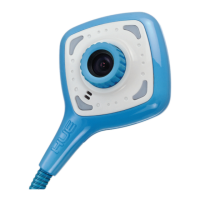
Our cameras use manual focus, which
means you have to turn the ring around
the camera’s lens until the picture is
sharp. This means that if you move the
camera closer or farther away, the
picture may become blurry until you
turn the ring again to bring the image
back into focus.
What do I do if my camera isn’t
working?
Please read the FAQs on our website
to ensure that everything is configured
correctly, and check that the camera
isn’t in use in another application.
USB cameras can only be used in one
application at a time.
Does the HUE HD Pro
camera conform to RoHS
and CE requirements?
Yes. The HUE HD Pro camera has been
screened in accordance with RoHS
Directive (2011/65/EU) and undergone
EMC (Electromagnetic Compatibility)
testing pursuant to EMC Directive
2004/108/EC, meeting the requirements
of EN55022: 2010 and EN55024: 2010.
For a full set of FAQs, tutorials
and technical help, please visit
www.huehd.com/support
If you can’t find the answer your
looking for, please contact us via
support@huehd.com
Please provide as much information
as you can including order details,
your operating system, and screen
shots so that we can quickly identify
a solution for you.
FAQs continued


 To Next Page