EasyManua.ls Logo

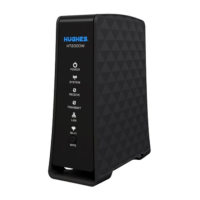
Hughes Direcway DW6000 - User Manual

Hughes Direcway DW6000
76 pages
Print Icon
To Next Page IconTo Next Page
Loading...
1033294-0001
Revision A
9/19/03
User Guide
DW6000 High-Speed Internet Modem

Table of Contents

Question and Answer IconNeed help?

Do you have a question about the Hughes Direcway DW6000 and is the answer not in the manual?

Summary

DW6000 Installation and Components

Operating Considerations

Guidelines for safe operation, including environmental factors and handling precautions.

Professional Installation and Service

Information on professional installation and service requirements for the DW6000.

DIRECWAY System Control Center

System Indicators and Home Screen

Details the Home screen, system indicators, and how to view status information.

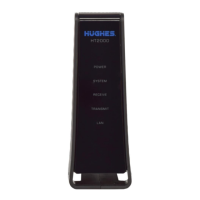
DW6000 LED Indicators

DW6000 Troubleshooting Common Issues

Troubleshooting Internet Connectivity

Procedures for issues when you cannot surf the Internet but can access the Control Center.

Checking Unit Commissioning and Signal Status

Steps to verify unit commissioning, receive signal, and transmit signal for troubleshooting.

TCP Acceleration and Network Connectivity

Troubleshooting TCP acceleration, NOC connectivity, and virus/firewall issues.

Control Center Access and LED Issues

Steps for when the Control Center is inaccessible and interpreting LED status.

Power and LAN LED Troubleshooting

Diagnosing issues with Power LED, LAN LED, and specific LED states like lit or dark.
Summary

DW6000 Installation and Components

Operating Considerations

Guidelines for safe operation, including environmental factors and handling precautions.

Professional Installation and Service

Information on professional installation and service requirements for the DW6000.

DIRECWAY System Control Center

System Indicators and Home Screen

Details the Home screen, system indicators, and how to view status information.

DW6000 LED Indicators

DW6000 Troubleshooting Common Issues

Troubleshooting Internet Connectivity

Procedures for issues when you cannot surf the Internet but can access the Control Center.

Checking Unit Commissioning and Signal Status

Steps to verify unit commissioning, receive signal, and transmit signal for troubleshooting.

TCP Acceleration and Network Connectivity

Troubleshooting TCP acceleration, NOC connectivity, and virus/firewall issues.

Control Center Access and LED Issues

Steps for when the Control Center is inaccessible and interpreting LED status.

Power and LAN LED Troubleshooting

Diagnosing issues with Power LED, LAN LED, and specific LED states like lit or dark.

Hughes Direcway DW6000 Specifications

General IconGeneral
BrandHughes
ModelDirecway DW6000
CategoryModem
LanguageEnglish

Related product manuals