Need help?
Do you have a question about the Huidu Technology HDP501 and is the answer not in the manual?
Provides critical warnings for safe operation and maintenance, including electrical shock hazards.
Emphasizes correct power supply usage, grounding, and keeping ventilation holes clear.
Describes multi-channel video input, practical video output interface, seamless switching, rich output resolution, and special features.
Details seamless switching, scaling, brightness adjustment, PC control, preset calling, and other user convenience features.
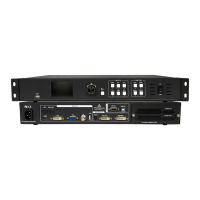
Details the rear panel connections including power input, various video inputs, video outputs, and RS232 port.
Describes the front panel components: LCD display, Menu operation keys, input selection, and function key areas.
Guides users through the navigation mode and how to access the main menu.
Covers setting the output resolution, screen parameters, and intercepting input signals.
Explains saving, calling, and managing user-defined modes and their parameters.
Details VGA adjustment, brightness/contrast, version information, and system restart.
Covers resetting parameters to factory defaults and deleting saved modes.
Shows how to select and view screens for DVI, HDMI, VGA, and CVBS input signals.
Covers P/F display switching and direct access to the main menu.
Explains the function of specific keys like OK for confirmation and GO for navigation.
 General
| Model | HDP501 |
|---|---|
| Category | Media Converter |
| Video Input | HDMI |
| Input Resolution | 1920×1200@60Hz |
| Power Supply | 5V DC |


 To Next Page