
 Need help?
Do you have a question about the Huidu Technology HDP601 and is the answer not in the manual?
Important usage instructions and warnings for the user.
Precautions regarding power supply, maintenance, and ventilation.
Detailed description of the processor's capabilities and functionalities.
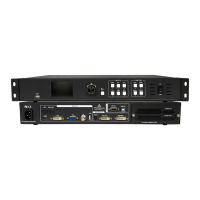
Details on connectors and ports located on the back of the unit.
Description of controls and indicators on the front of the device.
Explanation of the function keys for shortcuts and modes.
Visual representation of the main menu hierarchy.
Guide on using the menu keys and LCD screen for interaction.
Description of the initial screen displayed after device startup.
Interface for adjusting user parameters and accessing functions.
Steps to set the preferred language for the user interface.
Procedure for restoring the device to factory default settings.
How to set and precisely adjust the video output resolution.
Methods for implementing black screen and freezing the display.
Functionality to display specific sections of the input image.
How to save and load user-defined configurations.
Configuration for automatic switching to a backup input source.
Process for fine-tuning image brightness and contrast.
How to enable and disable the keypad lock function.
Steps for automatic and manual calibration of VGA input.
 General
| Brand | Huidu Technology |
|---|---|
| Model | HDP601 |
| Category | Media Converter |
| Language | English |

 To Next Page
