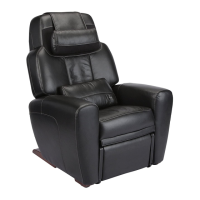
AcuTouch 6.0 Troubleshooting Guide 1
AcuTouch 6.0 Troubleshooting
This Troubleshooting Guide walks you step-by-step through the
diagnosis of AcuTouch 6.0 customer problems. It is important to follow
these steps carefully, to ensure that the problem is diagnosed
correctly, and therefore the appropriate repair action is taken.
Getting Started
1. Turn the power switch on the back of the chair base to Off, wait
approximately five seconds, then turn it back On.
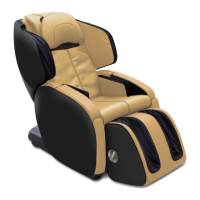
2. Verify that the backrest massage mechanism and the foot and calf
massager paddles move when you power on the chair. If they do
not, see "Power" on page 2.
3. Wait 30 seconds while a system check is performed, then verify
that the problem still exists.
4. If the problem still exists, choose from the following issues:,
To Troubleshoot This
Issue:
Do the following:
My remote control is
not working properly
• If the remote screen does not display any
text, replace the remote.
• If the remote screen displays normal text but
you cannot activate any of the functions,
replace the massage mechanism.
My backrest is not
massaging properly
Using the remote control, select Action
Settings, then scroll through the options to
verify that the function you want to use is not
turned off.
Replace the massage mechanism.



 To Next Page