www.humantouch.com
10
11
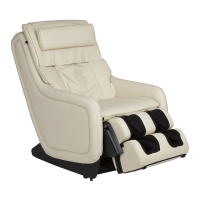
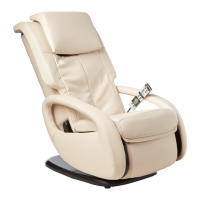
Your AcuTouch 9500 massage chair enables you to control and expand your massage experience using
the HT-Connect app and your iPod touch or iPhone, using Bluetooth
®
wireless technology. However, you
may also use the remote control that is connected to your chair to perform many of the same massage
functions. For information on using the chair’s remote control, go to page 16.
HT-Connect works with the following hand-held devices:
Apple iPhone 3GS running OS 3.0 or later
Apple iPod touch 2G
INTRODUCING HT CONNECT
™
Download the HT-Connect
™
app from the Apple App store. You can explore the app’s
features and wellness information whether or not your iPhone or iPod touch is connected
to your AcuTouch
TM
9500 massage chair.
HT-Connect is wireless, providing all the convenience of Bluetooth wireless
technology. To connect the HT-Connect app to your chair:
a. Plug in your chair and power it on.
b. Open the Bluetooth settings on your iPod touch or iPhone and pair
your device to the chair (NOTE: Your chair’s unique ID begins
with HT9500xxxx).
c. Start the HT Connect app on your iPod touch or iPhone to display
the home screen, then touch connect to connect the app to your chair.
d. Touch continue to bypass the screen that instructs you to open your Bluetooth settings
and pair your iPod touch/iPhone to the chair. The gateway screen is displayed.
Corded Controller
iPhone or iPod touch
with HT-Connect
™
take control
with HT Connect
™
1. Download the HT-Connect app
2. Get connected
connect
feel better everywhere



 To Next Page