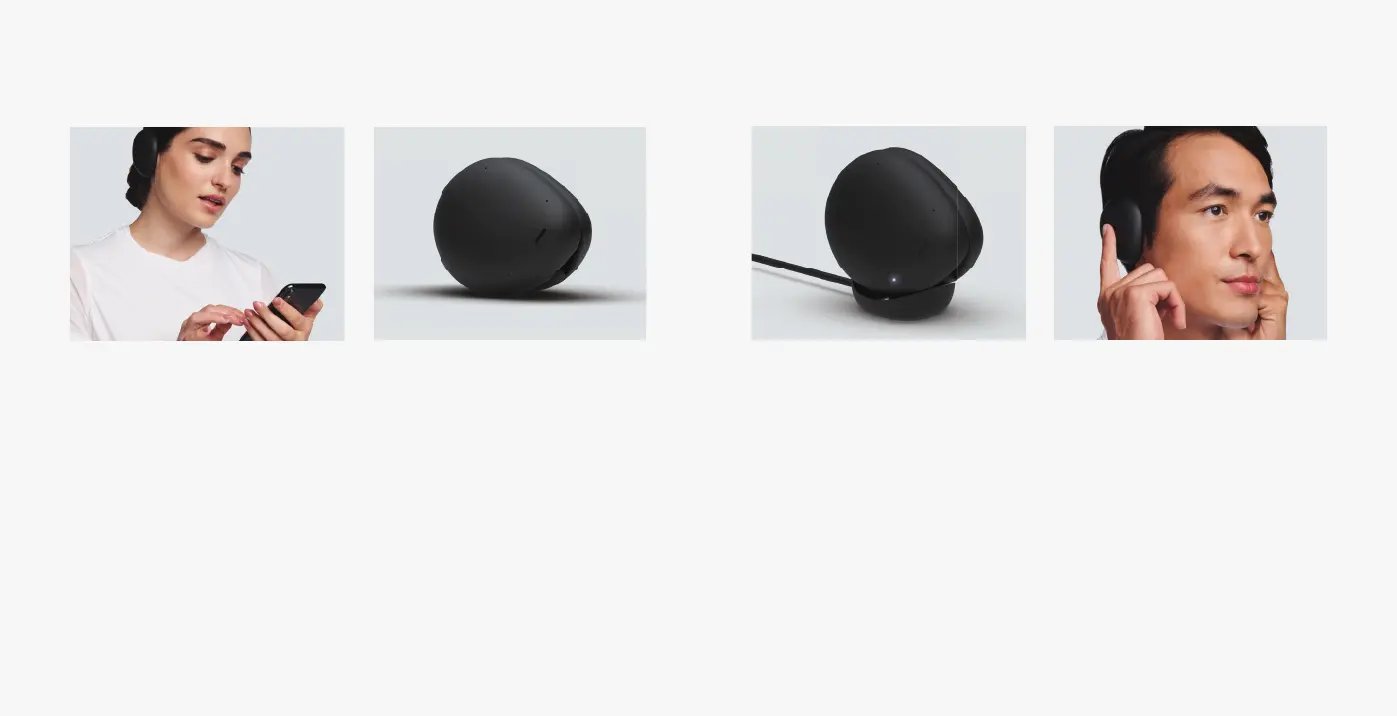
During rst time setup,
headphones will automatically
enter pairing mode. Select
“Human Headphones” from
Bluetooth se ings.
Connect
Durante la primera con guración,
los audífonos entran
automáticamente en modo de
emparejamiento. Seleccione
audífonos Human en las
con guraciones de Bluetooth.
Simply clasp the headphones
together to turn them o . They will
power o automatically.
Power o
Sencillamente sujete los audífonos
juntos para apagarlos. Se apagan
automáticamente.
Place clasped headphones on the
charging dock.LEDs will pulse while
charging and become solid when
fully charged.
Charging
To re-activate Bluetooth pairing,
press and hold one nger on
each headphone until your hear
“now in pairing mode”.
Pairing
Coloque los audífonos juntos en la
base para cargar.Los LED titilan
mientras carga y se quedan jos
cuando ya están cargados.
Para volver a activar el modo par de
Bluetooth, con un dedo mantenga
presionado cada audífono hasta
que escuche “modo par”.


 To Next Page