Operation
14 Proprietary. Humaneyes Technologies
Connect to Computer & Studio
Humaneyes VR Studio allows you to edit the media you capture and generates your VR content. It can be
installed from our website at www.vuze.camera/vr-software . Once you’ve installed Humaneyes VR Studio
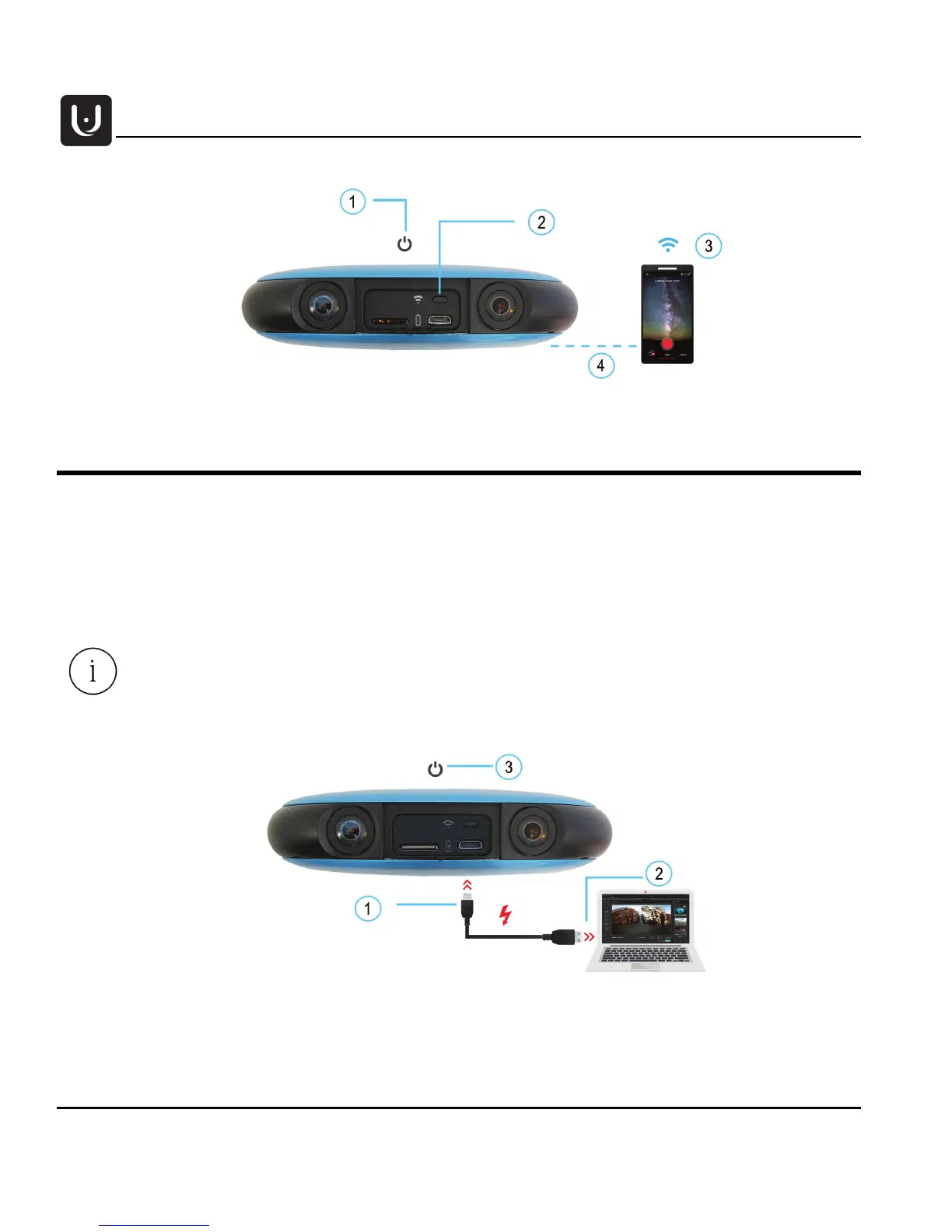
connect your camera as follows:
1. Connect the USB cable to the Micro USB camera interface.
2. Connect the other end of the cable to the computer.
3. Turn the camera on.
You can also use Humaneyes VR Studio by removing the SD card from your camera and
inserting it directly into an SD slot in your computer.



 To Next Page