STEP 1:
STEP 4:
STEP 5:
STEP 2:
STEP 3:
STEP 6:
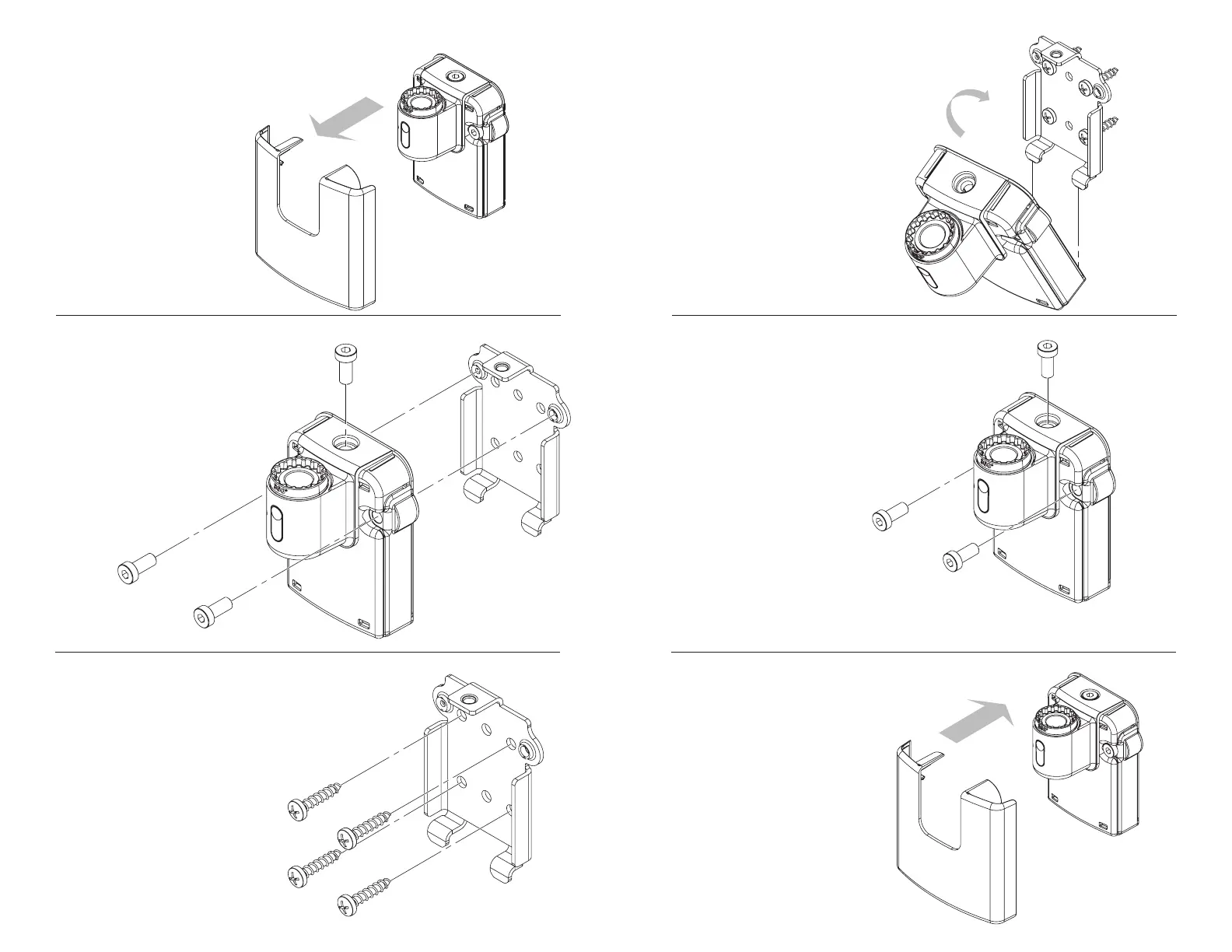
Remove the plastic front cover.
Remove the two side screws and
top screw from the mount and
Separate the mounting plate
from the rest of the mount.
Align the mount with the
mounting plate on the wall.
Reinstall the two side screws and
top screw into the mount and tighten.
Reinstall the plastic cover.Attach the mounting plate to
a wall stud or other structural
support using the screws provided.
Mounting to drywall alone
is not recommended.
Use level to ensure that
mounting plate is perfectly
level.



 To Previous Page