7
STEP 11
Attaching USB Devices
Tools: Flat-Head Screwdriver
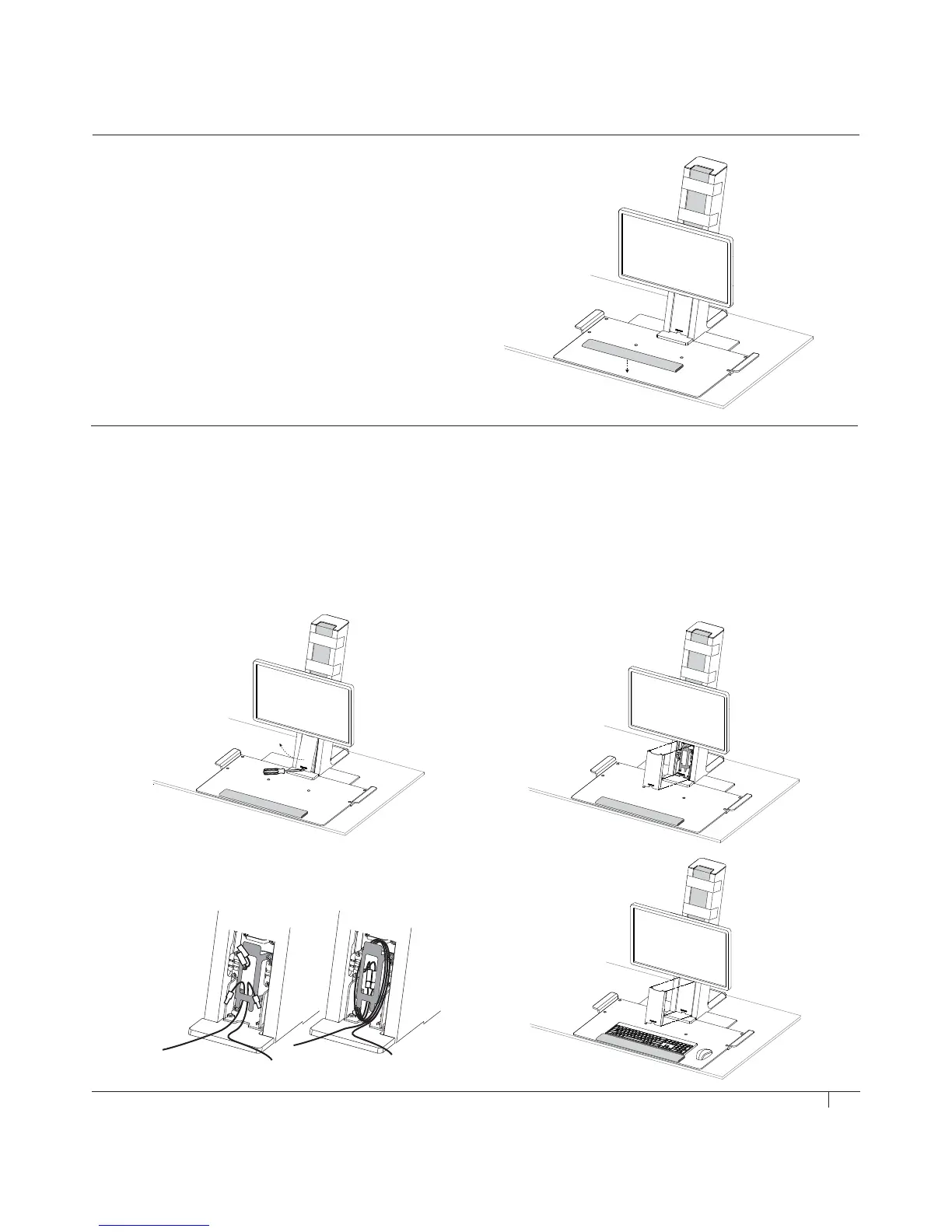
• Using a Flat-Head Screwdriver if needed, remove cable cover by tilting out from the bottom (fig. M)
• Route USB cables from keyboard and mouse into cable bracket (fig. N)
• Carefully pull cable slack through bracket until cable heads are set within. Wrap remaining cable slack around bracket (fig. O)
• Replace cable bracket cover (fig. P)
STEP 10
Secure Palm Support
• Peel off sticker backing from Palm Support and place down
in your desired position on the front edge of the Platform (fig. L)
L
M
NPO


 To Next Page