9
STEP 14
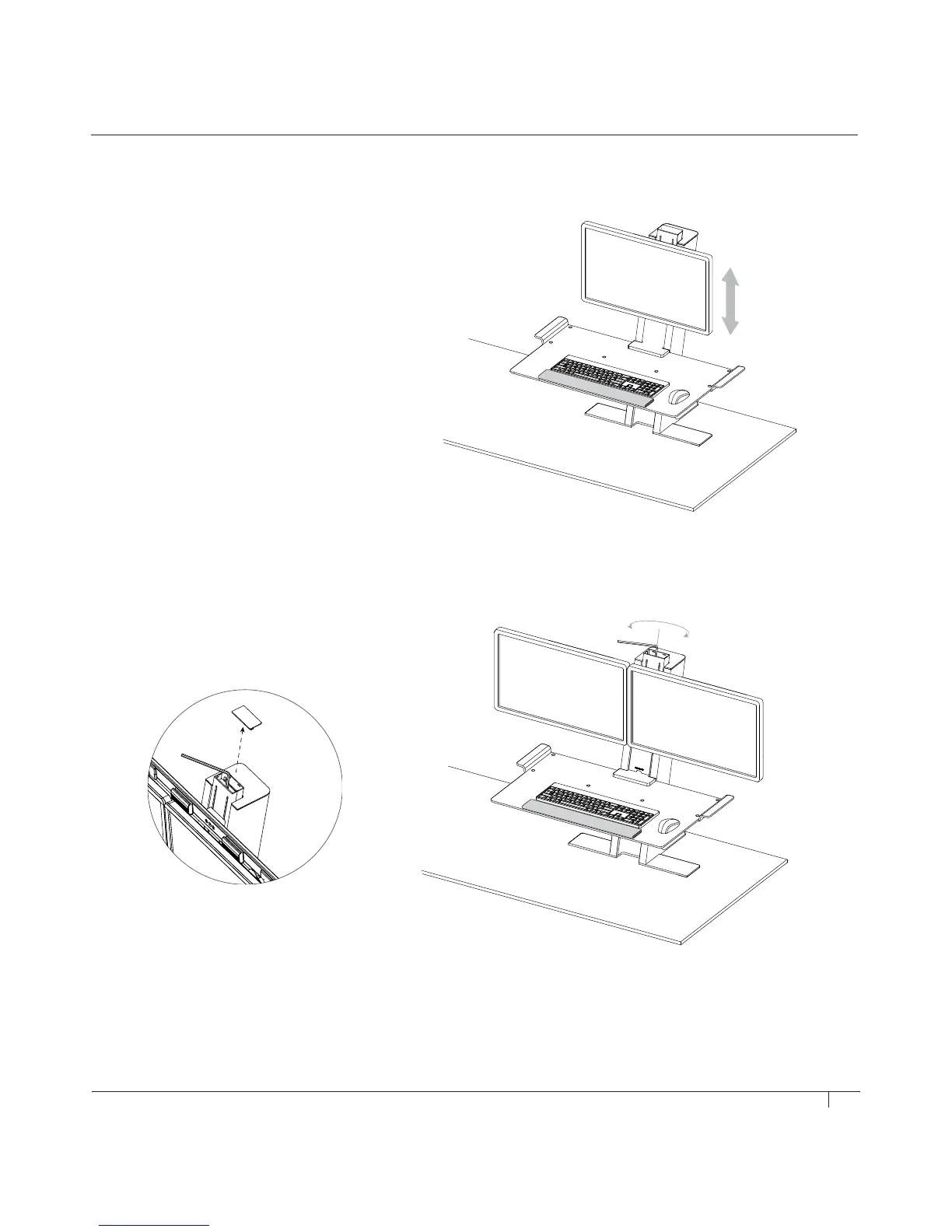
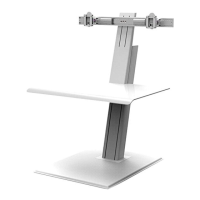
Adjusting Monitor Height
SINGLE QUICKSTAND
• Hold each side of your monitor and manually
raise or lower until it is in the correct position (fig. T)
DUAL QUICKSTAND
Tools: 6 mm Hex Key
• Remove top cover of the carriage assembly (fig. V)
• Slowly begin to turn the monitor height adjustment
screw clockwise to raise the monitors and
counter-clockwise to lower the monitors (fig. W)
T
V
W


 To Next Page