Need help?
Do you have a question about the Humzor NEXZSYS NS706 and is the answer not in the manual?
Lists registered trademarks of Shenzhen Hanzhi Technology Co., Ltd. and other holders.
Outlines restrictions on manual reproduction and distribution without prior written permission from HUMZOR.
States information is based on latest data, subject to change, and not guaranteed for completeness or correctness.
Explains hazard level indicators (DANGER, WARNING) and general safety warnings for operation.
Explains conventions used in the manual, such as bold text, notes, important messages, and procedural icons.
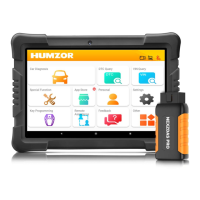
Details the physical components included in the NEXZSYS product package and their view.
Provides a high-level description of the NEXZSYS software, its features, and performance.
Details the procedure for booting up the system and navigating the main interface.
Explains the correct and safe procedure for shutting down the NEXZSYS system.
Provides instructions for installing the NEXZSYS software from the provided USB drive.
Explains how to launch and operate the NEXZSYS application on the user's device.
Details the steps required for new users to create an account and register their NEXZSYS product.
Outlines the process for existing users to log into the NEXZSYS application using their credentials.
Covers binding, deleting, and selecting product serial numbers for account association.
Steps to establish a wireless connection between the NEXZSYS device and the network for operation.
Steps to establish communication with the vehicle via VCI device and supported communication protocols.
Lists the various communication protocols supported by the NEXZSYS system for vehicle interaction.
Covers vehicle identification methods (VIN, manual) and diagnostic testing procedures like Quick Test.
How to read and clear DTCs, view live data, and access system information for diagnosis.
Performing specific tests on vehicle subsystems and components by activating actuators.
Instructions for downloading specific car models from the App Store for diagnostic use.
Steps to download and enable various special functions available in the App Store.
How to download and utilize IMMO related functions from the NEXZSYS App Store.
Guide to adding and modifying user profile details such as name, email, and company.
Covers upgrading the application version and switching between different product serial numbers.
Procedures for logging out of the NEXZSYS account and accessing remote assistance.
How to submit general feedback including complaint type, vehicle details, and descriptions.
How to quickly provide vehicle diagnostic data to the server without filling detailed content.
Displays system information and allows configuration of supported languages for the interface.
Manages automatic application updates and adjusts the application window size and display.
Configures USB/WIFI connection methods and customizes the display of car logos.
Allows users to modify the default font used throughout the NEXZSYS application interface.
Function for playing back recorded data streams for review and analysis.
Manage downloaded models, functions, screen recordings, and screenshots within the system.
 General
| Brand | Humzor |
|---|---|
| Model | NEXZSYS NS706 |
| Category | Diagnostic Equipment |
| Language | English |

 To Next Page