EasyManua.ls Logo

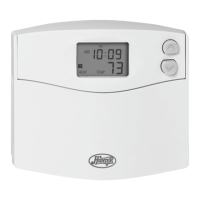
Hunter 44259 - User Manual

Hunter 44259
36 pages
Print Icon
To Next Page IconTo Next Page
Loading...
Owner’s Manual
File: AJ514/41253/book Created: 6-10-98 db
Folder: AJ514/Hunter/41253 Alt: 6-24-98 db
Prints black
SINCE 1 8 8 6
®
44259
B93Q book English p. 1-15 2/7/03 10:05 AM Page 1

Questions and Answers

  • R
    rdaviesJul 31, 2025
    Why doesn't my Hunter 44259 Thermostat program change at the desired setting?
    • H
      Heather McdonaldJul 31, 2025
      There are several reasons why your Hunter Thermostat program might not be changing at the desired setting. First, ensure the time is correctly set to 'AM' or 'PM'. Second, verify that the thermostat is not in 'HOLD' mode. Finally, check for the correct day setting.
  • D
    Daniel ReedAug 6, 2025
    What to do if my Hunter 44259 has no display?
    • N
      Nicole GonzalezAug 6, 2025
      If your Hunter Thermostat has no display, first, check the battery connections and the batteries themselves to ensure they are properly installed and have power. If the issue persists, press the reset button once with a small pin and hold it in for two seconds.
  • J
    jeremyperkinsAug 12, 2025
    Why is the entire display dim on my Hunter 44259?
    • M
      Melissa JoyceAug 12, 2025
      If the entire display on your Hunter Thermostat is dim, the suggested solution is to replace the batteries.
  • A
    andrewfloresAug 18, 2025
    What to do if AUTO/FAN does not come on on Hunter 44259?
    • M
      msimmonsAug 18, 2025
      If the AUTO/FAN function does not come on for your Hunter Thermostat, try moving the HG/HE system selector to the opposite position.
  • L
    Lori MooreAug 25, 2025
    How to fix a scrambled or double display on a Hunter Thermostat?
    • N
      nicole91Aug 25, 2025
      To fix a scrambled or double display on your Hunter Thermostat, remove the clear mylar sticker.

Summary

Features

Thermostat Controls and Display

Overview of the thermostat's display, buttons, and switches.

Button Functions

Detailed explanation of the purpose of each button.

Installation

What You Need

Tools and materials required for installation.

Remove Old Thermostat

Steps to safely remove the existing thermostat.

Label Wires

Instructions for labeling wires before disconnecting them.

Mount Wallplate and Thermostat

Guide to attaching the wallplate and thermostat.

Selector Switches

Configuration of heating system and temperature units.

Connect Wires and Mount Thermostat Cover

Final wire connections and securing the thermostat cover.

Operation

Setting the Time and Day of Week

How to set the current time and day for accurate operation.

Programming

Suggested Programs for Savings

Recommended program schedules for energy efficiency.

Personal Program Schedule

Template to plan custom heating/cooling schedules.

Programming Methods: Auto and Manual

Explains both auto and manual programming options.

Reviewing Programs

How to check your programmed settings.

Manual Temperature Override

How to temporarily or permanently adjust temperature settings.

Other Features

Temperature Span

The range within which the thermostat cycles for comfort.

Backlighting

How to activate the display backlight for visibility.

Filter Review Feature

Tracks filter usage hours and reminds for cleaning/replacement.

Troubleshooting

Display Problems

Solutions for scrambled, no display, and dim display issues.

Program and Control Issues

Fixes for program changes, fan/auto activation, and system on/off problems.

System Operation Issues

Addresses heating/cooling, unit staying on in OFF issues.

Persistent Error Readings

Fixes for permanent HI, LO, or erratic display readings.

Wiring Diagrams

4-wire Heat;Cool System Wiring

Diagram for connecting a 4-wire heat/cool system.

5-wire Heat;Cool System Wiring

Diagram for connecting a 5-wire heat/cool system.

2-wire Heat Only System Wiring

Diagram for connecting a 2-wire heat only system.

3-wire Heat Only System Wiring

Diagram for connecting a 3-wire heat only system.

3-wire Cool Only System Wiring

Diagram for connecting a 3-wire cool only system.

Hunter 44259 Specifications

General IconGeneral
DisplayDigital
Hold FeatureYes
BacklightNo
Battery LifeUp to 1 year
Power SourceBattery
CompatibilitySingle Stage Systems
Stages1

Related product manuals