13
ACC2 STRONGBOX PEDESTAL ASSEMBLY INSTRUCTIONS
Optional Assembly
Installing the SmartPort adapter
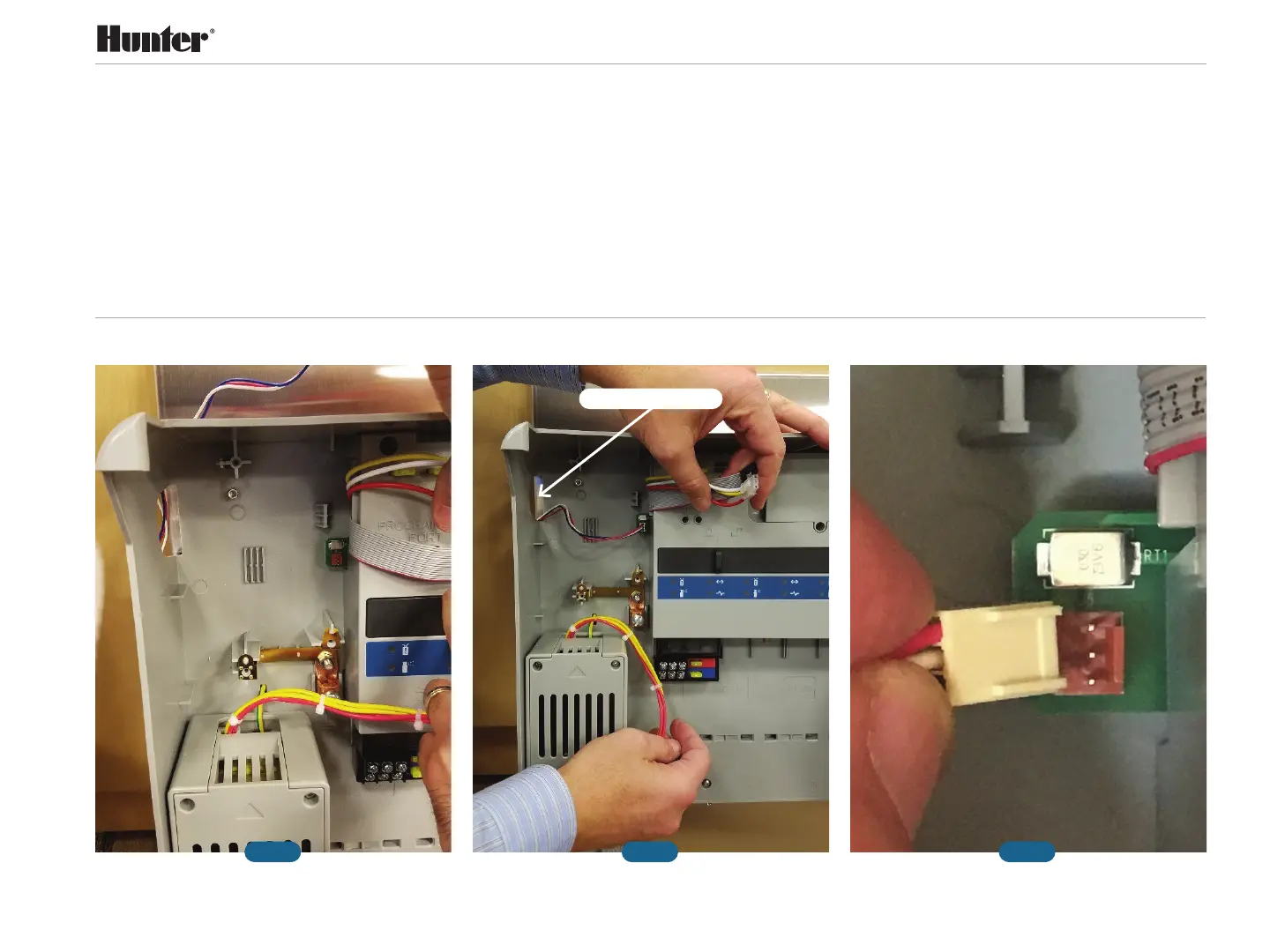
• Fig. 1: Location for the SmartPort adapter
connection
Step 1: Using the side slot opening of the inner
chassis, route the SmartPort cable and install
the SmartPort adapter connector to the small
three-pin connector mounted on the circuit
board on the deck assembly, as shown (Fig. 2).
Step 2: Make sure the small ribs on the
SmartPort adapter connector face to the
right when connecting with the mating
connector (Fig. 3).
Fig. 1 Fig. 2 Fig. 3
○
○
Side Slot Opening


 To Next Page