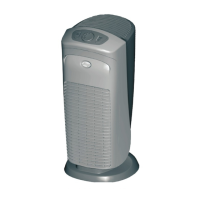
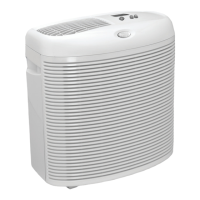
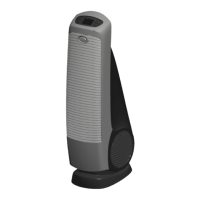
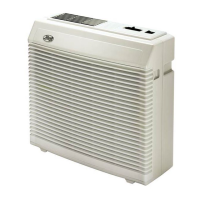
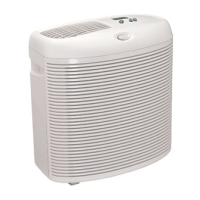
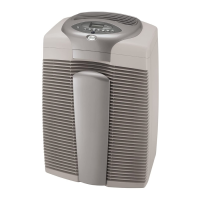
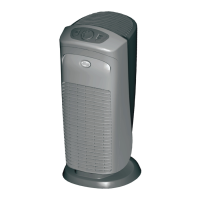
The Hunter AirMax Air Purifier is designed to clean and condition the air in your home through a 3-stage filtration process. It utilizes an internal fan to draw air from 360 degrees into the unit.
Function Description:
The air purification process begins with an EcoSilver® pre-filter, which traps larger airborne particles such as pet hair and dander. Following this, a True HEPA filter captures up to 99.97% of smaller particles, as tiny as 0.3 microns. The final stage involves a granular carbon filter, which helps reduce household odors from sources like cooking, cleaning, smoking, and pets. The purified air is then released back into the home.
Important Technical Specifications:
The manual covers models HP980 and HP980GR.
The device operates on a 120V AC electrical outlet. It features a polarized plug (one blade wider than the other) for safety.
The pre-filter is designed for replacement approximately every 6 months (3,500 hours of continuous use), while the HEPA filter should be replaced approximately every 12 months (7,000 hours of continuous use). These are estimates and actual replacement frequency may vary based on air quality and environmental factors.
The air purifier should be placed at least six inches away from walls and heat sources.
The unit is designed for indoor use only.
Usage Features:
The air purifier features a control panel with several buttons:
- On/Off: Turns the unit on or off.
- Speed: Allows selection of fan speed among Low, Medium, High, and Turbo.
- Low: Provides the best product sound.
- Medium: Offers moderate cleaning.
- High: Provides strong cleaning power.
- Turbo: Provides maximum cleaning power.
The selected speed is displayed above the Speed button.
- Timer: Activates a timer function for 1-12 hours of operation. The selected time is displayed above the Timer button, and the unit will turn off automatically after the specified duration.
- Sleep Mode: When activated, the air purifier operates on Low speed for 8 hours, and all lights turn off. After 8 hours, the unit reverts to its original settings, and lights come back on.
- Auto Mode: Automatically adjusts fan speed based on air quality. Low speed is used for good air quality (low VOC and particle levels), while Turbo speed is used for bad air quality (high VOC and particle levels).
- Accent Light: Turns the accent light on or off.
- Air Quality Indicator: Displays the VOC and Particle levels in the indoor environment. A green light indicates good air quality (low VOC and particle levels), while a red light indicates bad air quality (high VOC and particle levels). If the light is red, it is recommended to turn the air purifier to Turbo or Auto Mode.
Maintenance Features:
- Filter Replacement Indicators:
- Pre-Filter Replacement Indicator: Reminds users to replace the pre-filter after approximately 6 months (3,500 hours). After replacing the pre-filter, press and hold the pre-filter indicator button for 3 seconds until the unit beeps 3 times to reset the indicator.
- HEPA Replacement Indicator: Reminds users to replace the HEPA filter after approximately 12 months (7,000 hours). After replacing the HEPA filter, press and hold the HEPA filter indicator button for 3 seconds until the unit beeps 3 times to reset the indicator.
- Cleaning Exterior: The unit should be cleaned with a moistened soft cloth only. Do not pour or splash water on the unit, and avoid using abrasive cleaners. Clean all external surfaces, especially the air intake grills and air outlet. Ensure the air purifier is completely dry before plugging it back in.
- Filter Maintenance: Filters should be checked and replaced periodically for optimal performance. It is important not to use water, any liquid, or detergents to clean the filters.
- Filter Replacement Procedure (Pre-Filter and HEPA Filter):
- Switch off and disconnect the air purifier from the power socket.
- Remove the control pod by gently pulling up on both sides of the top.
- Grab the filter handle and twist counter-clockwise, then pull the filter up from the base.
- Remove the pre-filter from the HEPA filter by gently pulling away from the Velcro.
- Align the new pre-filter with the HEPA filter and firmly press to attach (for pre-filter replacement). For HEPA filter replacement, align the pre-filter with the new HEPA filter and firmly press to attach.
- Place the filter back into the base and twist clockwise until it locks into place.
- Reattach the control pod by aligning the tabs until the air purifier top locks into place.
- Dispose of the dirty filter.
Safety Instructions:
- Always read and obey safety messages provided in the manual.
- Do not operate with a damaged cord or plug.
- Unplug the air purifier before servicing, moving, opening the grill, changing filters, or cleaning.
- Do not run the cord under carpeting, throw rugs, runners, furniture, or appliances.
- Do not block air openings, grills/outlets, or place on soft surfaces that could cause tipping or blockage.
- Do not attempt to repair or adjust electrical or mechanical functions; this will void the warranty. Servicing should be performed by qualified personnel only.
- Do not place anything on top of the unit.
- Always place the air purifier on a firm, level floor.
- Do not use the air purifier with any Solid-State Speed Control Device.
- Do not use in a window.
- Do not immerse in water or other liquids.
- Keep out of reach of children.
- Do not drop or insert any object into openings.
Troubleshooting Tips:
- Unit does not operate: Check if the unit is plugged into a working outlet, if the filter is correctly located, if the top is latched firmly, and if a household fuse or circuit breaker has tripped.
- Unit makes an unusual noise: Reset the air purifier by unplugging it for 1 minute, then plugging it back in. Check filter installation and if the filter needs cleaning or replacement.
- Reduced air flow or increased noise: The filter may be excessively dirty and needs replacement or cleaning.
For further assistance, contact Hunter® Customer Support at (855) 887-1440, email info@hunterpureair.com, or visit www.hunterpureair.com. Support hours are Monday-Friday, 8:00 AM - 6:00 PM EST.

 Need help?
 General

 To Next Page