EasyManua.ls Logo

Hunter L401 - User Manual

Hunter L401
32 pages
Print Icon
To Next Page IconTo Next Page
Loading...
Form 3521T, 04-00
Supersedes 3521T, 06-99
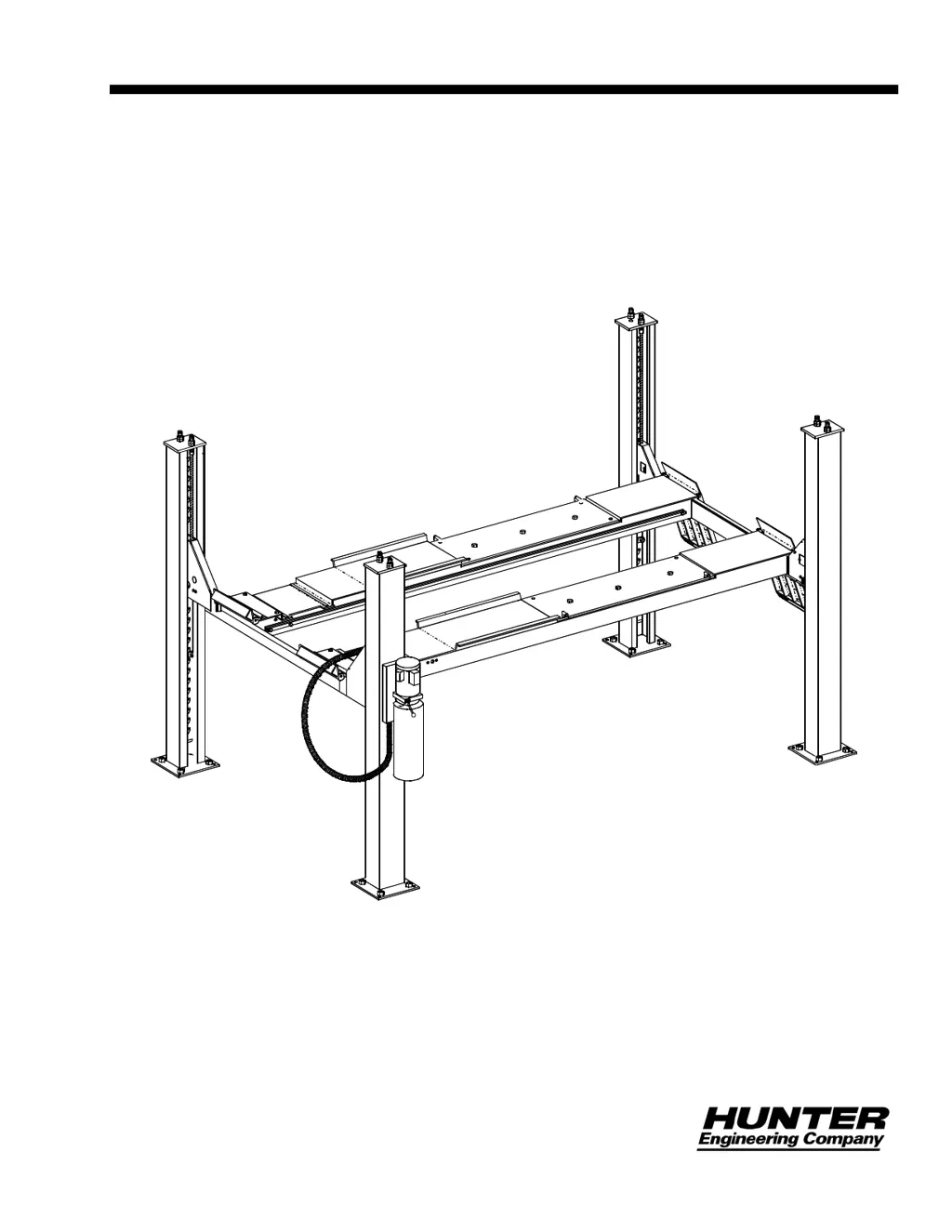
OPERATION INSTRUCTIONS
MODEL L401 & L404
Four-Post Lift
© Copyright 1991 Hunter Engineering Company

Questions and Answers

  • C
    Christopher DiazAug 13, 2025
    What to do if the Hunter Lifting Systems lift does not operate?
    • A
      Alan BlackAug 13, 2025
      If your Hunter Lifting Systems lift is not operating, the issue might be due to a blown circuit breaker or fuse in the shop power panel. Locate the shop power panel and restore power. Alternatively, there may be a hydraulic system malfunction; if the overload repeats, contact a factory service representative.
  • K
    kriveraAug 17, 2025
    What to do if the motor runs but the Hunter L401 Lifting Systems lift will not rise to full height?
    • J
      Jessica GonzalezAug 17, 2025
      If the motor runs but the Hunter Lifting Systems lift won't reach its full height, it could be due to a low hydraulic fluid reservoir. Lower the lift, check the hydraulic fluid level, and fill as needed. Also, check for any overhead obstructions to the vehicle; if present, lower the lift and remove the obstruction. If these steps do not resolve the issue, contact a factory service representative, as there may be a voltage supply issue or a hydraulic system malfunction.
  • J
    Jeremy KennedyAug 20, 2025
    What to do if the Hunter L401 lift continues to descend after releasing the “Lower” lever?
    • G
      garciatonyaAug 20, 2025
      If the Hunter Lifting Systems lift continues to descend after the “Lower” lever is released, try operating the “Lower” lever again, as the 2-way valve might be stuck open. For any further assistance, contact a factory service representative.
  • W
    Wendy StricklandAug 25, 2025
    What to do if the Hunter Lifting Systems runways continue to rise after the “Raise” button is released?
    • D
      David AndersonAug 25, 2025
      If the Hunter Lifting Systems runways keep rising after you release the “Raise” button, turn the circuit breaker “Off” at the shop power panel. For any further assistance, contact a factory service representative.
  • C
    cooperwendyAug 28, 2025
    What to do if the Hunter L401 motor runs, but the lift does not move?
    • A
      Amanda FitzpatrickAug 28, 2025
      If the Hunter Lifting Systems motor runs but the lift doesn't move, ensure that the vehicle's weight does not exceed the lift's capacity (14,000 lb for L401 or 16,000 lb for L404). Do not attempt to raise vehicles beyond these limits. For any further assistance, contact a factory service representative.
  • M
    Melissa RogersAug 31, 2025
    What to do if the indicator does not change to green when pressing the “Latch Retract” button on Hunter L401 Lifting Systems?
    • H
      heather91Aug 31, 2025
      If the indicator doesn't turn green when you press the “Latch Retract” button on your Hunter Lifting Systems, try raising the lift higher before pressing the button again, as one or more lock latches might still be engaged on the lock ladder. Check the air supply and hoses for any issues with the air control. Also, check the air circuit and repair any leaks. For any further assistance, contact a factory service representative.
  • J
    Joshua CunninghamSep 4, 2025
    What to do if the Hunter Lifting Systems lift raises but does not lower when starting the “Lower” sequence?
    • D
      David SimmonsSep 4, 2025
      If your Hunter Lifting Systems lift raises but doesn't lower when starting the “Lower” sequence, try raising the lift more before pressing the “Latch Retract” button, as one or more lock latches might still be engaged. Also, check the air supply and hoses for any issues with the air control. For any further assistance, contact a factory service representative.
  • M
    murphydeniseSep 8, 2025
    What to do if the indicator does not turn black when releasing the “Latch Retract” button on Hunter L401 Lifting Systems?
    • D
      David BarnettSep 8, 2025
      If the indicator does not turn black when releasing the “Latch Retract” button on your Hunter Lifting Systems, contact a factory service representative, as the button might be stuck.

Summary

For Your Safety

Introduction

General overview of safety information and decal placement.

Safety Instructions

Detailed safety directives and pictograms for safe lift operation.

Dangers

Critical hazards and lockout procedures to prevent severe injury or death.

Warnings

Potential hazards that could lead to moderate injury or equipment damage.

Cautions

Precautions to prevent minor injury or equipment damage.

Weight Limits

Maximum load capacities for L401 and L404 models.

Specifications

Lift Capabilities

Technical specifications and dimensions for L401 and L404 lifts.

Getting Started

Operator Responsibilities

Duties and obligations of the lift operator.

Operator Qualifications

Required skills and knowledge for operating the lift safely.

Operator Training

Requirements for operator instruction and documentation.

Detailed Operation Instructions

Preparation

Steps to prepare the lift and area before operating.

Chocking Procedure

Method for securing the vehicle with wheel chocks.

Raising the Lift

Step-by-step guide for lifting the vehicle.

Lowering the Lift

Step-by-step guide for safely lowering the vehicle.

Regular Maintenance

Corrosion

Inspection and prevention of wire rope corrosion.

Maintenance Schedule

Daily, weekly, and monthly maintenance tasks.

Appendix

Maintenance and Training Documentation

Forms for recording maintenance and training activities.

Troubleshooting

Troubleshooting Chart

Common problems, possible causes, and solutions for lift operation.

Hunter L401 Specifications

General IconGeneral
BrandHunter
ModelL401
CategoryLifting Systems
LanguageEnglish

Related product manuals