This document is an installation manual for the Hunter Oakhurst II ceiling fan. It provides comprehensive instructions for installing, operating, and maintaining the fan, along with important safety warnings and warranty information.
Function Description:
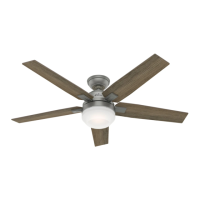
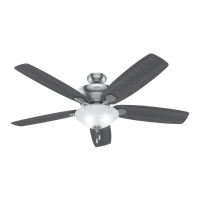
The Hunter Oakhurst II is a ceiling fan designed to provide comfort and air circulation in residential or office settings. It features multiple blades, an integrated light kit, and pull chains for controlling fan speed and light operation. The fan can operate in two directions: downdraft (counterclockwise rotation) for a direct breeze and maximum cooling effect, and updraft (clockwise rotation) for more indirect airflow, which is useful for moving warm air downward.
Important Technical Specifications:
- Model Numbers: 52300 (New Bronze), 52301 (Brushed Nickel), 52302 (Fresh White).
- Fan Weight: 18.7 lbs (8.5 kg), with a tolerance of ±2 lbs.
- Mounting Requirements: The fan must be mounted directly to a building structure and/or an outlet box marked acceptable for fan support of 70 lbs (31.8 kg).
- Electrical Requirements: All wiring must comply with national and local electrical codes ANSI/NFPA 70. The fan requires an isolating wall control/switch to reduce the risk of electric shock.
- Room Dimensions: A minimum of 30 inches from the blade tip to the nearest wall or obstruction, and 7 feet from the bottom edge of the blade to the floor.
- Ceiling Angle: Supports standard mounting for flat ceilings and angled mounting for vaulted ceilings. For ceiling angles greater than 34°, a longer downrod and an Angled Mounting Kit (sold separately) are required.
- Light Kit: Includes three sockets for bulbs and three glass shades.
- Hardware: The manual details various hardware components, including wood screws, machine screws, wire nuts, canopy screws, blade screws, blade arm screws, and light kit screws, all provided with the fan.
Usage Features:
- Installation Options: The manual offers two options for installing the ceiling bracket: using machine screws with an existing ceiling fan-rated outlet box or using wood screws with a support structure and an approved electrical outlet box.
- Downrod Customization: Instructions are provided for installing the pre-assembled downrod and for replacing it with a longer or shorter downrod if needed.
- Wiring Configurations: Detailed wiring diagrams are included for both single-switch and dual-switch setups, guiding users through connecting the fan's wires (white/grounded, black/ungrounded, blue/light, and green/yellow stripe/grounding) to the ceiling wires.
- Blade Assembly: The blades are secured to blade arms using grommets and screws, and then the blade arms are attached to the motor.
- Light Kit Assembly: The light kit involves assembling upper and lower switch housings, connecting plugs, installing bulbs, and attaching glass shades.
- Pull Chain Control: The fan features two pull chains: one for controlling fan speed (from high to off) and another for controlling the light fixture (on and off).
- Reversible Airflow: A reversing switch on the fan motor allows users to change the direction of air rotation, enabling both downdraft (cooling) and updraft (warm air circulation) modes. To change direction, the fan must be turned off and allowed to come to a complete stop before sliding the switch.
Maintenance Features:
- Troubleshooting Guide: The manual includes a troubleshooting section to address common issues such as the fan not working, excessive wobbling, or noisy operation. Solutions involve checking power switches, pull chain engagement, motor reversing switch, circuit breakers, wiring connections, blade installation, hanger ball seating, and fan balancing.
- Cleaning: Hunter Pro Tip suggests using soft brushes or cloths to clean the fan to prevent scratching and advises against using cleaning products that may damage the finishes.
- Limited Lifetime Warranty:
- Motor: Covered by a limited lifetime warranty for defects in material or workmanship. Hunter will provide a free replacement fan if the motor fails. This warranty specifically excludes electronic controls.
- Other Parts: Covered by a one-year limited warranty for defects in material or workmanship, with free replacement parts provided by Hunter.
- Light Kits: Included in the one-year limited warranty. LED light kit modules or LED bulbs have a three-year limited warranty for defects (excluding glass components).
- Exclusions: The warranty does not cover labor costs, light bulbs (except where noted), remote control batteries, fans purchased outside the United States, fans without proof of purchase, unauthorized dealer purchases, ordinary wear and tear, minor cosmetic blemishes, refurbished fans, or damage from improper installation, misuse, abuse, care, failure to follow instructions, accidental damage, modifications, improper maintenance/repair, improper voltage, use of improper parts/accessories, or acts of God.
- Customer Support: Hunter provides telephone support at 1.888.830.1326 and online resources at HunterFan.com for assistance with installation, missing/damaged parts, FAQs, and warranty service.

 Need help?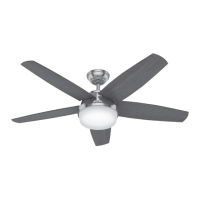




 To Next Page
 General