7
8
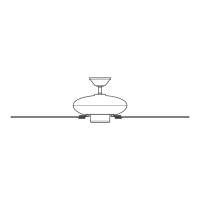
Ceiling Bracket Downrod Hanging Fan Wiring Canopy Blades Light Glass/Bulbs
Canopy Screw
GLASS FALL HAZARD
To prevent SERIOUS INJURY or DEATH, make
sure that glass is properly secured.
Installing the Bulbs and Glass
ON
Turn Power
Install a bulb into each
of the sockets. When
necessary, replace with
bulbs of same wattage.
Remove the socket rings from the sockets. Install the
shades onto the sockets. Install the socket rings onto
the sockets. Tighten them by turning clockwise with
the socket ring glass tool.
Want to install your fan without a light kit?
Go to www.HunterFan.com/FAQs and click “How do I install my
fan without the light kit?”
Hunter Pro Tip:
Repeat x3
Repeat x3
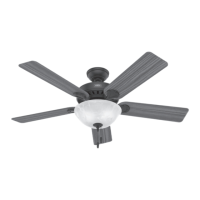
Fan style may vary.
Note:
Socket
Shade
Socket
Ring
Socket
Ring Tool
Screw light kit screws from the
hardware bag halfway into
the motor housing. It does not
matter which two screw holes
you choose.
Connect the plugs from the upper and
lower switch housings. Make sure to line
up the colored markings on the connectors.
Feed the wire plug through the center
hole of the upper switch housing,
then wrap keyhole slots around the
screws and twist counterclockwise.
Insert a third screw, found in the
hardware bag, into place and
then tighten all three screws.
1 of 3
Light Kit Screw
bag
2 of 3
Light Kit Screw
bag
1
STEP
4
STEP
2
STEP
3
STEP
FAN FALL HAZARD
Make sure all three screws are tight to secure
the upper switch housing to the mounting plate.
FAN FALL HAZARD
Make sure all three screws are tight to secure the
lower switch housing to the upper switch housing
Lift the lower switch housing up until its
screw holes are aligned with the screw
holes in the upper switch housing.
Install the three light kit screws found in
the hardware bag.
5
STEP
3 of 3
Light Kit Screw
bag
6
STEP
Fan style may vary.
Note:





 To Next Page