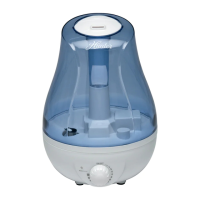
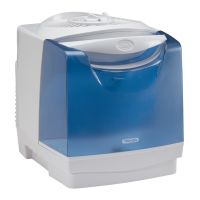
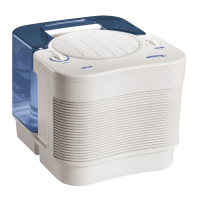
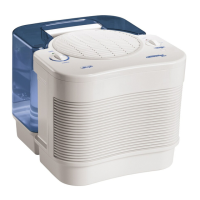
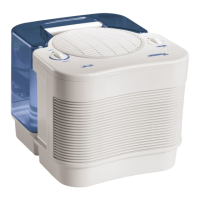
The Hunter Ultrasonic Humidifier, model QLS-05, is designed to add moisture to the air, improving comfort in residential settings. This owner's manual provides comprehensive instructions for its safe operation, maintenance, and troubleshooting.
Function Description:
The QLS-05 is an ultrasonic humidifier that uses high-frequency vibrations to convert water into a fine mist, which is then dispersed into the air. This process helps to alleviate dry air conditions, which can be beneficial for health and comfort, especially during dry seasons or in heated environments. The humidifier is designed for ease of use and features an adjustable humidity output.
Important Safety Instructions:
Before operating the humidifier, it is crucial to read and adhere to all safety instructions to prevent electrical shock, injury, or damage to the unit.
- Placement: Always place the humidifier on a firm, level, and water-resistant surface, at least six inches away from walls, heat sources, and electrical appliances. It should also be placed out of the reach of children.
- Cord Inspection: Before each use, inspect the power cord for any signs of damage. Do not use the product if the cord is damaged.
- Polarized Plug: The humidifier is equipped with a polarized plug (one blade wider than the other) as a safety feature. This plug will fit into a polarized outlet only one way. If it doesn't fit, reverse the plug. Do not attempt to defeat or override this safety feature.
- Unplugging: Always unplug and empty the humidifier when it is not in operation or during cleaning.
- Water Type: Use only clean, cool tap water when filling the water tank. Never use hot water or add medication of any type to the water tank.
- Operation Environment: Never leave the unit unattended in a closed room, as this can lead to excessive condensation on walls and furniture. Always leave a door partially open.
- Water Spout: Do not add water directly into the humidity spout.
- Handling: Unplug the unit before filling or cleaning. Do not remove the funnel while the unit is turned on. Do not handle the plug with wet hands.
- Mist Direction: Avoid pointing the humidity directly at electrical objects. Do not directly inhale the humidity coming from the unit.
- Cleaning Agents: Do not clean the unit with detergents or chemicals. Use only vinegar and water as directed.
- Supervision: This appliance is not intended for use by persons (including children) with reduced physical, sensory, or mental capabilities, or lack of experience and knowledge, unless they have been given supervision or instruction concerning its use by a person responsible for their safety.
Usage Features:
The QLS-05 humidifier is designed for straightforward setup and operation.
- Initial Setup:
- Remove the plastic bag covering.
- Unravel and straighten the power cord.
- Remove the Water Tank from the Base (Figure 1).
- Turn the Water Tank upside down and twist the Water Tank Cap counter-clockwise to remove (Figure 2).
- Fill the unit with clean, cool tap water. Warning: Never fill with hot water.
- Place the Water Tank Cap back on the Water Tank and turn it clockwise until secure.
- Place the Water Tank back into the Base, ensuring it is seated securely. Note: Failure to seat the tank correctly can cause leaks.
- Plug the humidifier into a wall outlet.
- Operation:
- Placement: Place the humidifier on an elevated, non-metallic, lint-free, waterproof, level surface to ensure proper mist dispersion and prevent moisture damage. Avoid placing it on towels or carpeted surfaces, as this can block the air vent and cause overheating.
- Turning On/Off and Adjusting Mist: To turn the humidifier on, turn the humidity adjustment knob clockwise until a click is felt. The indicator light in the base will turn on, and the unit will begin operating. Continue turning the knob clockwise to increase the mist output. To turn the unit off, turn the knob counter-clockwise until it clicks (Figure 3). Caution: Do not operate the humidifier without water in the tank.
- Low Water Indicator: When the unit runs out of water, the indicator light in the base will change to red. Turn the unit off and remove the water tank to refill.
- Refilling: After refilling the water tank and placing it securely back on the base, the indicator light will change to green (Figure 5). Caution: Turn the humidifier off before refilling.
Maintenance Features:
Regular cleaning and maintenance are essential to ensure the humidifier operates efficiently and prolong its lifespan. Always unplug the humidifier from the electrical outlet before cleaning. Never allow water to sit in the tank when not in use.
-
Daily Maintenance:
- Turn off and unplug the humidifier.
- Remove the Water Tank from the unit (Figure 8).
- Turn the Water Tank upside down and drain any remaining water into a sink or tub. Gently shake the unit to remove all water (Figure 9).
- Rinse the Water Tank thoroughly with water, empty, and wipe with a clean, dry cloth.
- Wipe the Base with a dry cloth if necessary.
- Refill the Water Tank as directed in "Using Your Humidifier" and resume use.
-
Weekly Maintenance:
- Turn off and unplug the humidifier.
- Remove the Water Tank from the unit (Figure 8).
- Turn the Water Tank upside down and drain any remaining water into a sink or tub. Gently shake the unit to remove all water (Figure 9).
- Fill the Water Tank with a mixture of one gallon of water and eight ounces of white vinegar. Let the mixture sit for 20 minutes, shaking the tank every few minutes. After 20 minutes, shake again and discard the mixture.
- Rinse the Water Tank several times with clean water. Leave the Water Tank Cap off to allow the tank to dry completely.
- Wipe the surfaces of the humidifier Base with a soft, damp cloth.
- Once all parts are clean and dry, reassemble the humidifier, refill the Water Tank, and resume use.
-
Specific Cleaning Instructions:
- Water Tank: Fill with a mixture of one gallon of water and eight ounces of white vinegar. Let it sit for 20 minutes, shaking every few minutes, then discard and rinse.
- Water Basin: Dampen a cloth with a vinegar and water solution and wipe down the Water Basin (Figure 5). Rinse with cool water. Do not immerse the Water Basin or hold the Nebulizer directly under the tap.
- Base: Wipe all exterior surfaces of the Base (Figure 5) with a soft, dry cloth. Do not immerse the Base in water or use water to clean it, as this can cause electrical shock or damage.
- Nebulizer: Lime deposits may accumulate, especially in hard water areas. Dampen a cloth with vinegar and gently wipe the Nebulizer (Figure 5) until deposits disappear. Clean with a dry cloth to remove residue.
- Fan Vent: Keep the Fan Vent area (Figure 6) clean and free of obstructions. Wipe with a clean, dry cloth. Avoid placing the humidifier on towels or carpeted surfaces, which can block the vent and cause overheating.
- Water Level Sensor: The sensor consists of a Plastic Cap, Water Float, and Pin. Wipe these parts with a soft, damp cloth. Reassemble by placing the Water Float onto the Pin, then screwing the Plastic Cap onto the Pin (Figure 7).
-
Storage:
Follow weekly maintenance instructions before storing. Never store the unit with water in the tank. Allow the humidifier to dry completely before storing it in a cool, dry place.
Troubleshooting:
The manual provides solutions for common issues:
- Excessive Noise: Check if the Water Tank is properly seated and if there are bubbles when full and running. If bubbles are present, turn the unit off until bubbling stops, then restart at the desired speed.
- Humidifier Will Not Turn On: Ensure the unit is plugged in, the Adjustment Knob is set to ON, and the indicator light in the base is illuminated.
- Humidifier Shuts Off: Check if the Water Tank has water and clean the Water Float (refer to cleaning section).
- White Dust or Mineral Build-up: Refer to the cleaning section for instructions on removing mineral build-up.
- Decreased Humidity Output/Water Usage: Check if the Adjustment Knob is set to the desired humidity level and speed. Check for bubbles in the Water Tank (as described for excessive noise). Clean any components with mineral build-up and check the Fan Vent for obstructions.
- Strange Odor: Refill the Water Tank with fresh water and ensure regular maintenance is performed.
Technical Support:
For assistance with setup, operation, or parts, contact Hunter Home Comfort technical support at 1-888-880-3267. Support is available 24 hours a day, 7 days a week. An electronic copy of the user manual can also be found at www.HunterHomeComfort.com.
FCC Warning:
Changes or modifications not expressly approved by the responsible party could void the user's authority to operate the equipment. The device complies with CFR 47 part 18 FCC Rules and is designed to provide reasonable protection against harmful interference in a residential installation. If interference occurs, users are encouraged to try correcting it by reorienting/relocating the receiving antenna, increasing separation between equipment and receiver, connecting the equipment to a different circuit, or consulting a dealer/radio/TV technician.
1-Year Limited Warranty:
Hunter Home Comfort provides a 1-year limited warranty to the original residential user or consumer purchaser. If any part of the ultrasonic humidifier fails due to a defect in material or workmanship within one year from the purchase date, a replacement part will be provided free of charge. If a replacement part cannot be provided, the humidifier will be replaced.
The warranty is void if the original residential user or consumer purchaser ceases to own the humidifier. All implied warranties, including merchantability or fitness for a particular purpose, are expressly limited to the period of the express warranty. This warranty is void if the humidifier is not purchased and used in the USA.
The warranty excludes defects, malfunctions, or failures caused by unauthorized repairs, use of unauthorized parts or accessories, mishandling, modifications, damage while in possession, unreasonable use, or failure to provide reasonable and necessary maintenance. It does not cover humidifiers used in commercial applications.
To obtain service, contact the nearest Hunter authorized service center at 1831-A West Oak Parkway, Marietta, GA 30062. The purchaser is responsible for insurance and freight to the service center. The humidifier will be returned freight prepaid. Proper packaging is required to avoid damage in transit. Proof of purchase (sales receipt or other document) is required for warranty service.
Legal Rights:
This warranty provides specific legal rights, and users may have other rights that vary from state to state or province to province. The warranty limits liability for direct, indirect, special, consequential, or incidental damages in excess of the purchase price of the humidifier. Some American states and Canadian provinces do not allow limitations on implied warranty duration, exclusion/limitation of certain damages, or invalidity of warranties under specific conditions, so these limitations may not apply to all users.

 Need help?
 General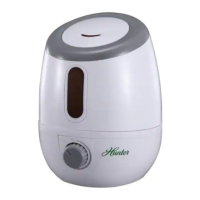

 To Next Page