1.
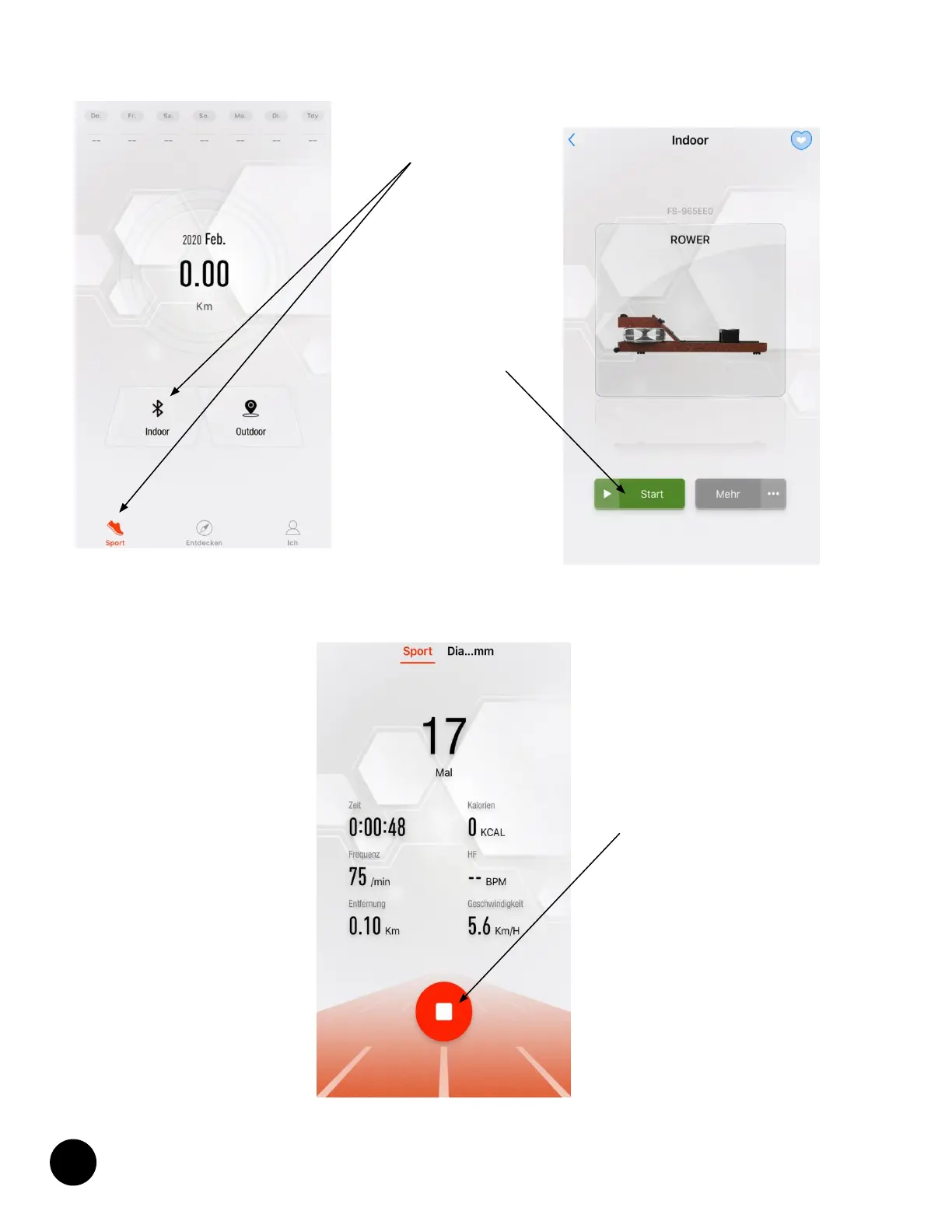
Tap on „Sport“
and „Indoor“
2.
Tap on
„Start“
If you are not registered, a corresponding message may appear.
- played in the app
(see figure next page), while the device computer only displays the Bluetooth® icon.
computer is not found, please check if Bluetooth® is enabled on your training device and on your mobile device.
STOP-button
App display during training
If you want to finish the workout, tap and hold the red STOP button in the app.


 To Next Page