2-
11
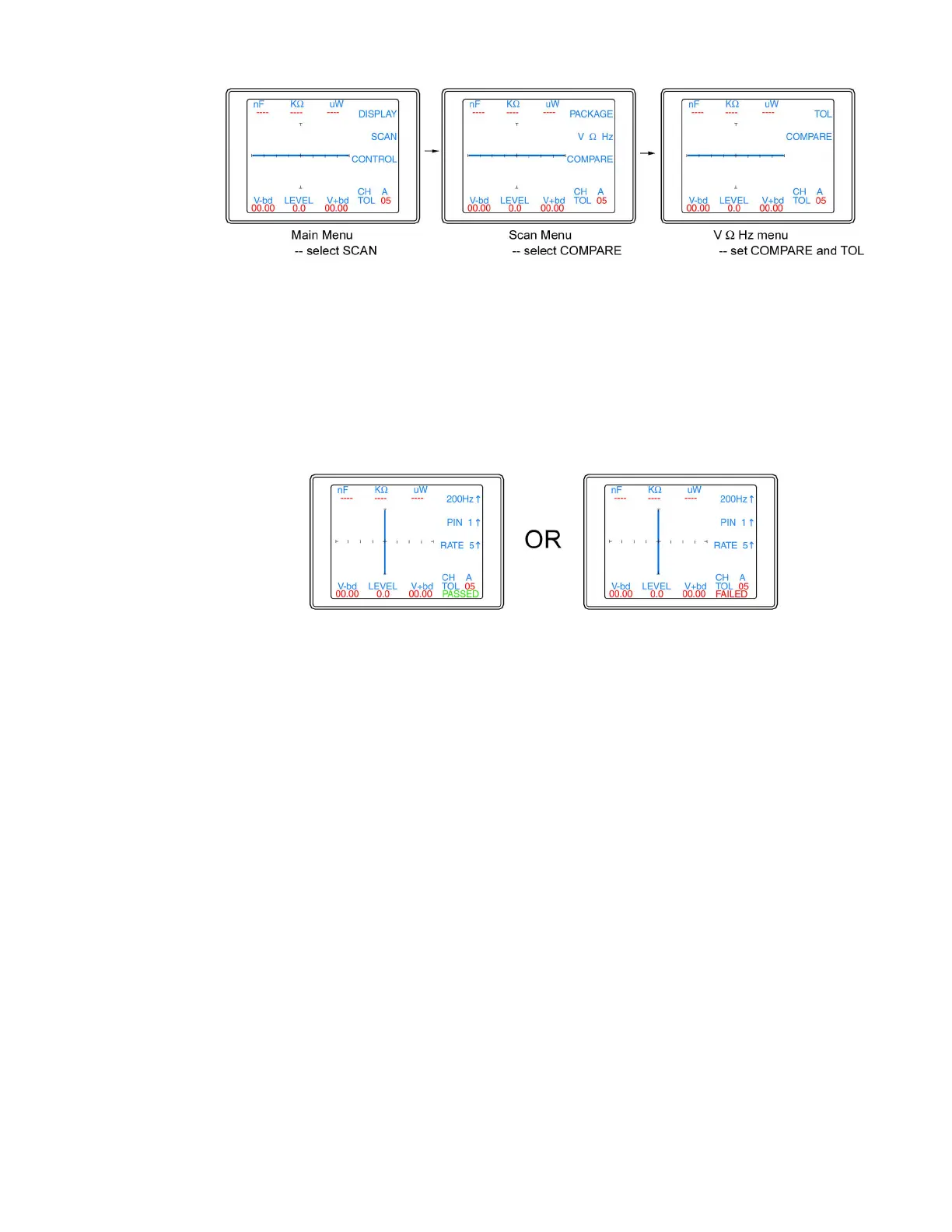
Figure 2-9. Selecting Compare mode and setting Tolerance
The Tracker 2700 can be set to compare mode by pressing the COMPARE button so the LED is
lit. The tolerance allowed during comparison is also set in the menu. Press the TOL while noting
the TOL value on the LCD. The Tolerance value will step 0-5 by 1, 5-20 by 5 and 20-90 by 10.
Press the Menu until the power-up menu is reached (the signature will become live). Press the
ALT and Scan buttons and the 2700 will make signature comparisons between the A and B
channels. If a 2700S is being used, scanning will continue stepping through all of the configured
pins. The comparison result will be displayed on the LCD as either PASSED or FAILED as shown
in figure 2-10.
Figure 2-10. Scan results displayed on 2700 LCD
Press the Scan button to stop the scan. The Tracker 2700S can be set to single test or loop test
by setting the scan mode in the Package menu (refer to figure 2-7).



 To Next Page