4-
4
The Display menu functions are as follows:
• Bright: Scrolls through the contrast settings. The setting will wrap-around if the button pushed
continually. The Brightness value will be store in memory until changed.
• Colors: Scrolls through the Tracker 2700 color schemes. Settings are stored in memory until changed.
Color Schemes:
1. Menu = magenta; Sig A/Passed = green; Sig B/Failed = red; Readings = blue
2. Menu = green; Sig A/Passed = blue; Sig B/Failed = red; Readings = cyan
3. Menu = blue; Sig A/Passed = black; Sig B/Failed = magenta; Readings = red
4. Menu = black; Sig A/Passed = blue; Sig B/Failed = magenta; Readings = cyan
Background = always white
Graticule = always black
• Values: Toggles the display of measurements on or off. The options are None, Level, or SigAssist™
and Level. The settings are stored in memory until changed.
• Menu button: Press the Menu button to return to the Main menu.
The Scan Menu
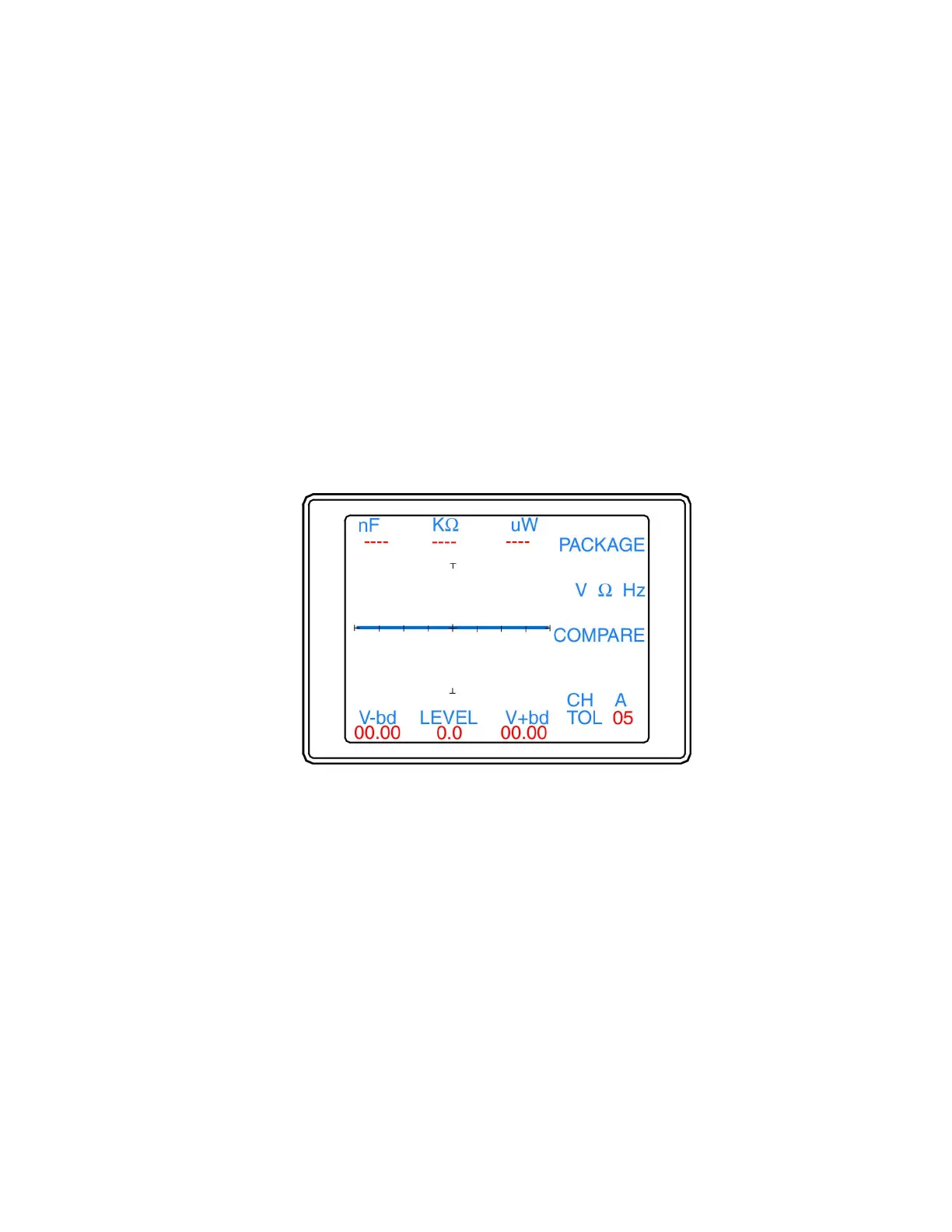
The Scan menu (figure 4-5) is displayed by selecting Scan from the Main menu.
Figure 4-5. Scan menu
The Scan menu functions are as follows:
• Package: Displays the Package menu for configuring the scanning of component pins (2700S only).
• V Ω Hz: Displays the V Ω Hz menu for configuring scanning parameters
• Compare: Displays the Compare menu for configuring comparison settings.
• Menu button: Press the Menu button to return to the Main menu.


 To Next Page
 Loading...
