1. Set the Mode
Press "M" key, red light will display and a beep
will sound, indicating that it has entered the
setting mode. Press the up or down key to
switch the mode "PEAK" or "TRACK" displayed
at the top of the screen.
Lb.in
PEAK
20.0
TRACK
Lb.in
20.0
- 1 -
● This torque screwdriver is a precision instrument intended to be
used only to tighten small fasteners to a desired torque. Do not use
it in lieu of a regular screwdriver.
● Accuracy: +/- 3% from 20% to 100% of capacity in clockwise
and +/- 5% from 20% to 100% of capacity in counter-clockwise
POWER ON
Press and hold the key to power on. The screen displays the
maximum torque value of the screwdriver and flashes twice,
then the display shows as last saved value.
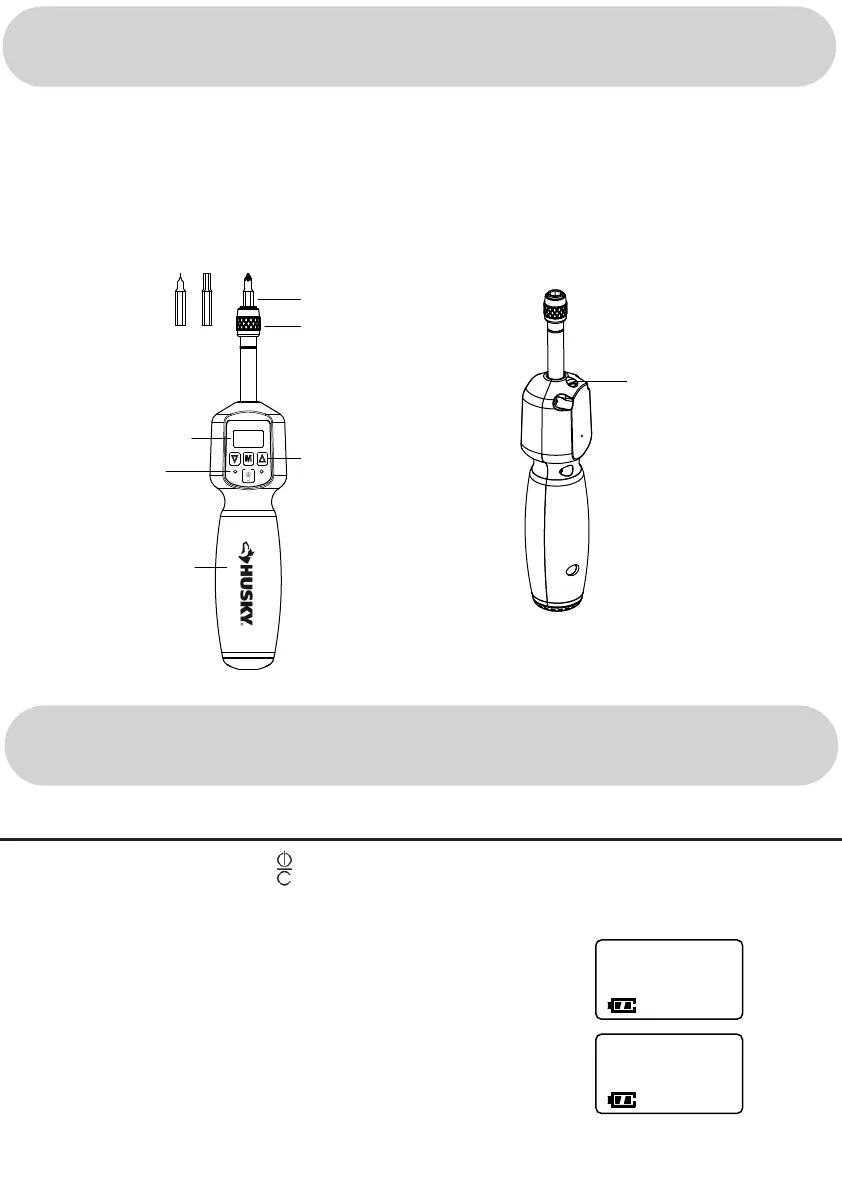
1/4 in. Bits
Quick release
collar, accepts
various types of
1/4 in. insert bits
Buttons: Up,
Down and Mode
Screen
LED
Lights
Handle
Charging
Port
OVERVIEW
OPERATIONS



 To Next Page