Lb.in
PEAK
20.0
cN.m
PEAK
226
Kg.cm
PEAK
23.0
3. Set the Target Torque Value
Press "M" key to confirm the unit while hearing a
beep to enter the target torque value setting.
Press the up or down key to adjust the value,
press and hold to speed up.
2. Set the unit of Measure
Press the "M" key to confirm the mode while hearing a beep to enter
the unit setting. Press the up or down key to switch the torque unit on
the right side of the screen: Lb.in, cN.m or Kg.cm in turn.
● When in operation, the displayed torque value increases with
the applied force.
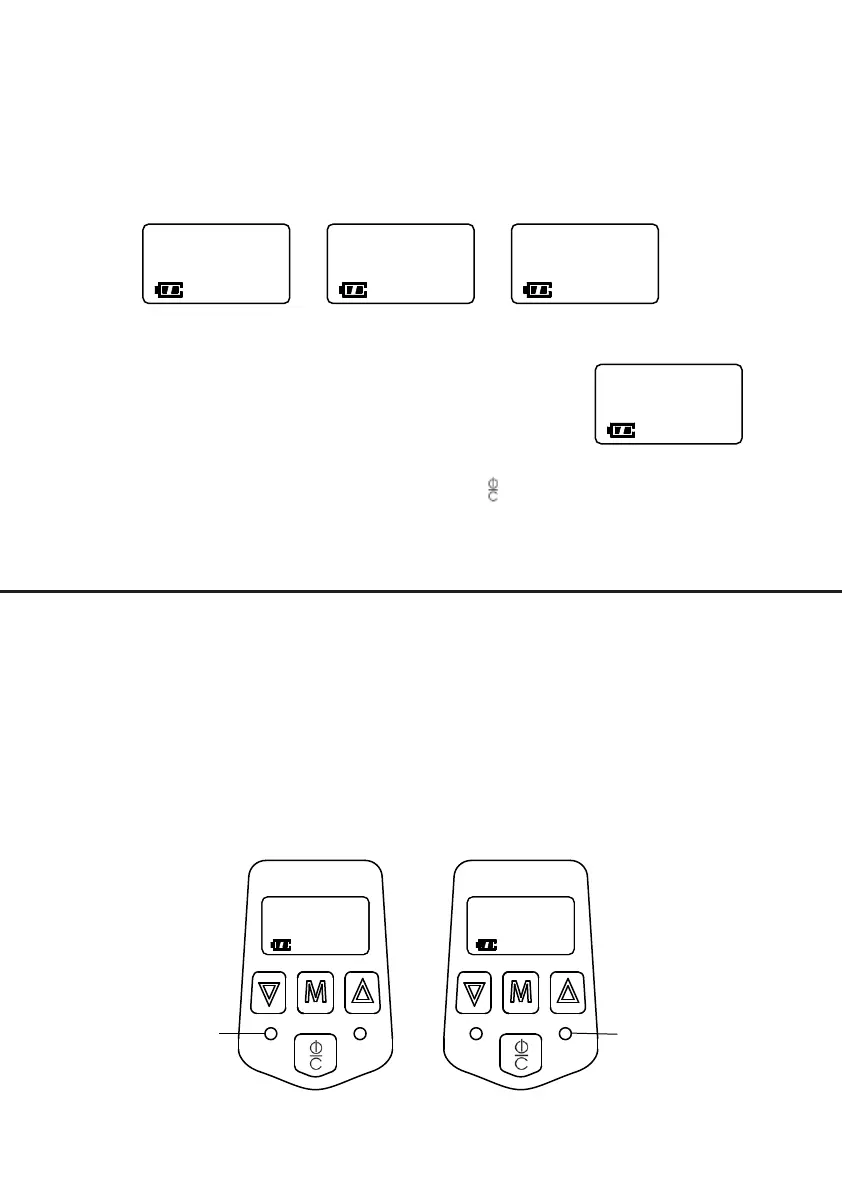
● When the applied torque reaches 96% of the set value, the
green light turns on and the buzzer will beep.
● When the applied torque exceeds 104% of the set value, the
green light turns off, the red light turns on, and buzzer will stay on
until torque is released. For example, the set value is 12.5 Lb. in,
see below:
Press "M" key to confirm, then press the key to exit. When
the red LED light turns off, the driver is ready to use.
HOW TO APPLY TORQUE
1. Peak Mode
Red
light on
Green
light on
PEAK
12.0
Lb.in
PEAK
13.0
Lb.in
Lb.in
PEAK
12.5
- 2 -


 To Next Page
 Loading...