EN © 2023 HUSLOG All Rights Reserved Device for cavitation peeling
10
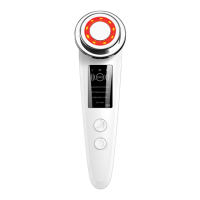
The massager allows you to adjust the intensity of head vibrations, which lets you adjust
them to individual needs. After turning on the device, set the desired operating mode then
by short pressing the vibration intensity button change the intensity of vibrations. You can
choose between three levels of their intensity. The current vibration intensity is visible on
the screen of the device and is represented by a letter:
• L – low vibration
• M - medium vibration
• H - high vibration
In the eye care mode, the vibration intensity is constant, and the vibration intensity button
turns the red backlight of the massager head on and off, giving an effect similar to the
photorejuvenation mode.
To turn off the device, press and hold the power button for about 3 seconds. Additionally
the product automatically turns off after about 5 minutes of inactivity.
4.3 Use
Avoid using the device for too long and intensively in one place. It can cause skin irritation.
Do not use the device on an irritated or damaged skin.
Before each use of the device, remove make-up, wash and dry your face.
When using the appliance, always hold it so that it touches the side rails. Do not hold the
unit by the body alone.
Never use the device on dry skin. Use the massager in combination with preparations
intended for facial skin.
Regardless of the selected operating mode, we recommend moving the massager head in
the following way:
• Face - inside out
• Around the mouth - circularly
• Eye area - circularly
• Forehead - bottom to top
• Cheeks - bottom to top
• Chin - bottom to top
When moving the massager around the face, do not stay in one place for a long time.
Cleansing mode - helps to effectively remove impurities from the skin pores. This mode
requires the use of a cotton pad and facial cleanser. Remove the plastic ring from the
device head and moisten a cotton pad with facial cleanser. Put a moistened cotton pad on
the massager head and put the plastic ring back on it, pressing it until you hear a click.
Turn on the device. By default, the massager turns on in cleaning mode. Adjust the
vibration intensity level and start cleansing your face.
Photorejuvenation mode - the red light of the backlight stimulates the skin to produce
collagen and elastin, which increases its elasticity. It helps in reducing wrinkles and
discolorations, delays the aging process. The heated head stimulates blood circulation,
improving blood supply to the skin.
Before use, apply a cream, serum, oil or other product intended for facial skin to the face.
Turn on the device, select the photorejuvenation mode, adjust the level of vibration
intensity and, massaging your face, introduce the cosmetic into the skin.
Regeneration mode - the blue light of the backlight has an antibacterial and anti-
inflammatory effect on the skin. It inhibits the development of inflammation in acne
vulgaris and rosacea. It destroys bacteria without affecting the skin tissues.
Before use, apply a skin product with antibacterial and anti-inflammatory properties to
the face or a one accelerating skin regeneration. Turn on the device, select the
regeneration mode, adjust the level of vibration intensity and, massaging your face,
introduce the cosmetic into the skin.
Eye care mode - massages and improves the condition of the skin around the eyes. In this
mode, the vibration intensity button turns the red backlight of the massager head on and
off, giving an effect similar to the photorejuvenation mode.


 To Next Page