EasyManua.ls Logo

Husqvarna McCULLOCH ROB S600 - User Manual

Husqvarna McCULLOCH ROB S600
48 pages
Print Icon
To Next Page IconTo Next Page
Loading...
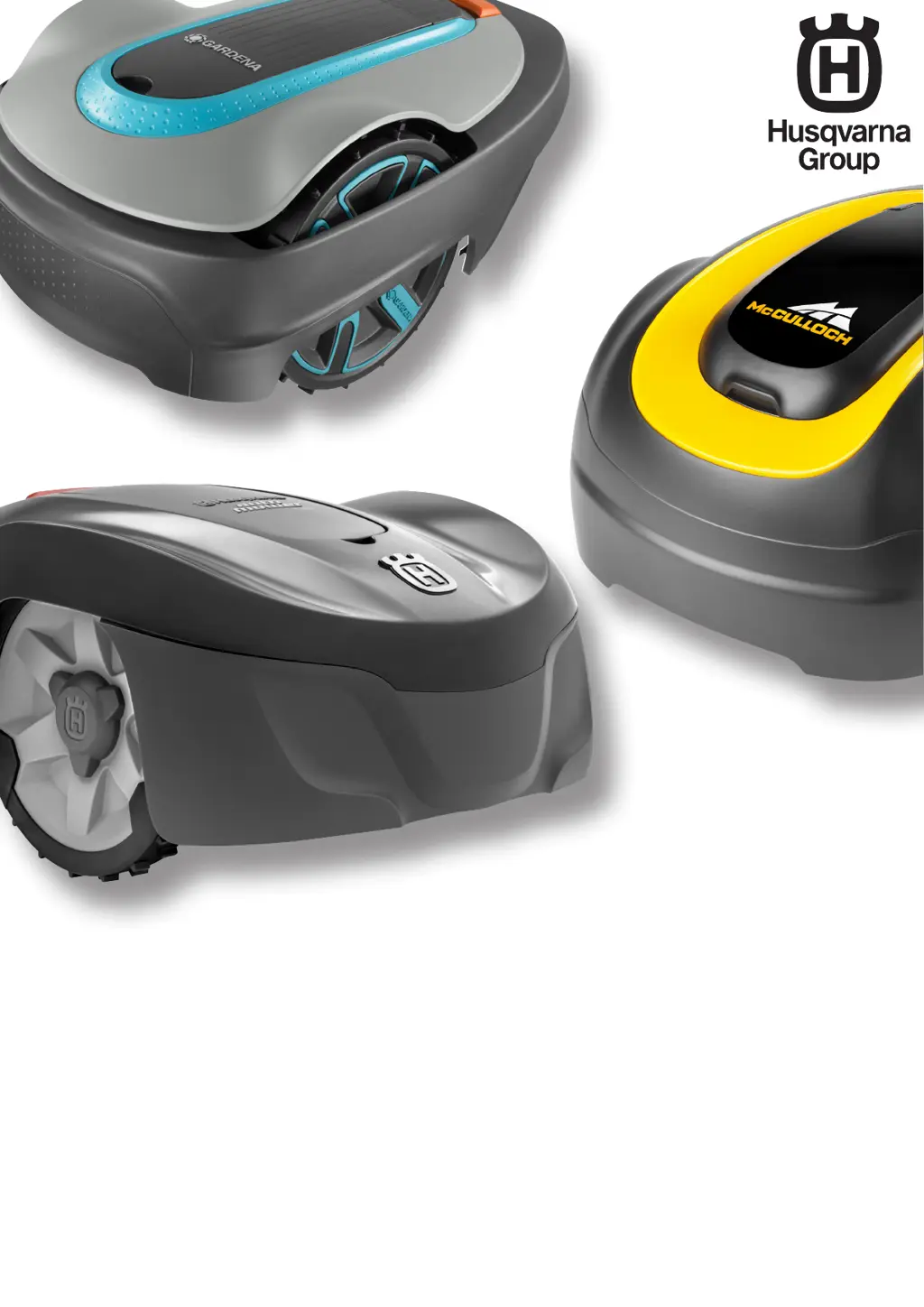
Husqvarna
®
: Automower
®
115H
GARDENA
®
: SILENO city, smart SILENO city,
SILENO life, smart SILENO life
McCULLOCH
®
: ROB S400, ROB S500, ROB S600
Workshop manual

Table of Contents

Questions and Answers

  • R
    Rebecca LeonardNov 25, 2025
    What to do if my Husqvarna Lawn Mower goes outside the working area?
    • S
      Steven LewisNov 25, 2025
      If your Husqvarna Lawn Mower is going outside of the designated working area, there are several potential causes: * Incorrect boundary wire connections: Ensure the left and right sections of the boundary wire are correctly connected to the left and right connections in the charging station. * Excessive slope at the boundary wire: Verify the boundary wire is installed according to the instructions. * Incorrect island installation: Check that the boundary wire around any islands is installed as instructed, with the two sections of wire to and from the island placed close together. * Signal interference: Place the mower in the charging station and generate a new loop signal. * Metal object interference: Relocate the boundary wire and/or create islands in the work area to boost sign...
  • A
    Aaron HunterAug 25, 2025
    What to do if Husqvarna McCULLOCH ROB S600 Lawn Mower is stuck in the charging station?
    • K
      kylemurrayAug 25, 2025
      If your Husqvarna Lawn Mower is 'Stuck in charging station', an object might be preventing it from leaving; remove the object. Alternatively, the product might be sliding on the baseplate; try cleaning it.
  • D
    Daniel ShepardAug 26, 2025
    How to troubleshoot a battery problem on a Husqvarna Lawn Mower?
    • G
      George PerryAug 26, 2025
      If your Husqvarna Lawn Mower has a 'Battery problem' it may be that the battery is not connected properly, or faulty, so check that the battery is properly connected. It is also possible that you are using the wrong type of battery, so use only original batteries recommended by the manufacturer.
  • J
    jessica75Aug 28, 2025
    Why does my Husqvarna Lawn Mower say 'No loop signal'?
    • A
      allisontonyAug 28, 2025
      If your Husqvarna Lawn Mower shows 'No loop signal', several factors could be at play. A broken boundary wire is a common cause; inspect the LED on the charging station. Also, verify that the boundary wire is correctly connected to the charging station and that the power supply is properly connected and undamaged. The pairing between the product and charging station may be broken, so try generating a new loop signal. Ensure the boundary wire isn't laid incorrectly around an island. Metal objects or buried cables might cause disturbances; try moving the boundary wire or creating additional islands. Finally, if ECO mode is on, place the product in the charging station, start it, and close the hatch.
  • S
    Samuel WardNov 26, 2025
    Why does my Husqvarna Lawn Mower go outside the working area?
    • A
      Amanda TuckerNov 26, 2025
      Your Husqvarna Lawn Mower might be operating outside the designated working area due to several reasons. The boundary wire connections to the charging station may not be correctly installed; make sure to examine that the left and right sections of the boundary wire are correctly installed to the left and right connections in the charging station. The work area may slope too much at the boundary wire; examine the installation of the boundary wire is installed according to the instructions. The boundary wire around an island may not be installed correctly, or the boundary wires are crossed; examine that the boundary wire around the island is installed according to the instructions and put the two sections of boundary wire to and from the island close together. The product may find it hard to...
  • M
    Matthew AdamsSep 15, 2025
    What to do if my Husqvarna Lawn Mower has an 'Electronics problem'?
    • P
      Phillip BeckSep 15, 2025
      If your Husqvarna Lawn Mower is experiencing an 'Electronics problem', it could be due to communication issues between the HMI circuit board and the main circuit board. Try restarting the product. Also, make sure the cable between the HMI circuit board and the main circuit board is connected properly, and check for any damage to the cable or connector. If problems persist, the HMI or main circuit board may need replacement.
  • L
    lauren60Sep 13, 2025
    Why does my Husqvarna McCULLOCH ROB S600 say 'Settings restored'?
    • K
      Kevin MccoySep 13, 2025
      If your Husqvarna Lawn Mower displays 'Settings restored', it means user settings failed to save, and the product has been reset to factory settings. If this occurs repeatedly, program the product with the latest main program. If the issue persists, even with the newest program, the main circuit board might need replacing.
  • S
    Stephen ShepherdSep 14, 2025
    What does 'Memory circuit problem' mean on my Husqvarna McCULLOCH ROB S600?
    • R
      rbradfordSep 14, 2025
      If your Husqvarna Lawn Mower reports a 'Memory circuit problem', resetting settings has failed. Program the product with the most recent main program. If the problem continues, the main circuit board may need to be replaced.
  • M
    Mrs. Samantha Abbott DDSSep 6, 2025
    Why does my Husqvarna McCULLOCH ROB S600 Lawn Mower have no drive?
    • E
      Erin MoralesSep 6, 2025
      If your Husqvarna Lawn Mower shows 'No drive', the product might be stuck on something. Free it and identify the cause. If wet grass is the issue, wait for the lawn to dry. If the working area has a steep slope, ensure it doesn't exceed the maximum guaranteed slope, and isolate steeper areas. If there's a slope, lay the guide wire at an angle across it.
  • E
    elizabethschroederSep 4, 2025
    What to do if my Husqvarna McCULLOCH ROB S600 is trapped?
    • R
      Rebecca MccormickSep 4, 2025
      If your Husqvarna Lawn Mower is 'Trapped', it means the product has gotten caught on something. Free the product and determine the cause.

Summary

2 Safety

2.2 General safety instructions

Provides essential safety guidelines, including blade proximity and product modification warnings.

2.3 Special safety instructions

Covers specific safety advice for maintenance, thunderstorms, and battery handling.

3 Product and installation

3.2 The loop systems control signals

Describes boundary and guide wire signals (A, F, Guide) essential for product operation.

3.4 Boundary loop

Details the A signal, its strength variations, and how to test the boundary loop installation.

3.5 Guide loop

Explains the guide loop's function and signal characteristics for returning to the charging station.

5 Autocheck service tool

5.1 Installation and login

Covers the installation process and obtaining login credentials for the Autocheck service tool.

5.2 Connect the product

Explains how to connect the robotic mower to the computer using a USB service cable.

5.4 Programming circuit boards

Covers procedures for programming circuit boards, including handling blocked boards.

5.4.1 Programming a blocked HMI circuit board

Provides step-by-step instructions for programming a blocked HMI circuit board.

5.4.2 Programming a blocked main circuit board

Details the process for programming a blocked main circuit board in boot mode.

5.4.3 Programming a new main circuit board

Explains how to program a new main circuit board, including options and service mode.

6 Repair instructions

6.6 To disassemble the body system

Provides step-by-step instructions for disassembling the product's body system.

6.7 To disassemble the upper chassis

Details the process for disassembling the upper chassis of the product.

6.9.1 To replace the battery

Guides on how to replace the product's battery, including steps and post-replacement checks.

7 Service

8 Troubleshooting

8.1 Messages

Lists common fault and information messages, their causes, and recommended actions.

8.2 Symptoms

Describes common symptoms encountered during mowing, searching, docking, and charging.

8.3 Loop signal

Provides guidance on troubleshooting loop signal issues, including LED indicators and wire breaks.

8.5 Battery test

Details how to perform and evaluate a battery test to check for performance issues.

Husqvarna McCULLOCH ROB S600 Specifications

General IconGeneral
TypeRobotic lawn mower
Cutting Width16 cm
Cutting Height, min-max20-50 mm
Maximum Slope Performance25 %
Area Capacity600 m²
Typical mowing time on one charge60 minutes
Typical charging time60 minutes
Battery TypeLithium-ion
Engine TypeElectric

Related product manuals