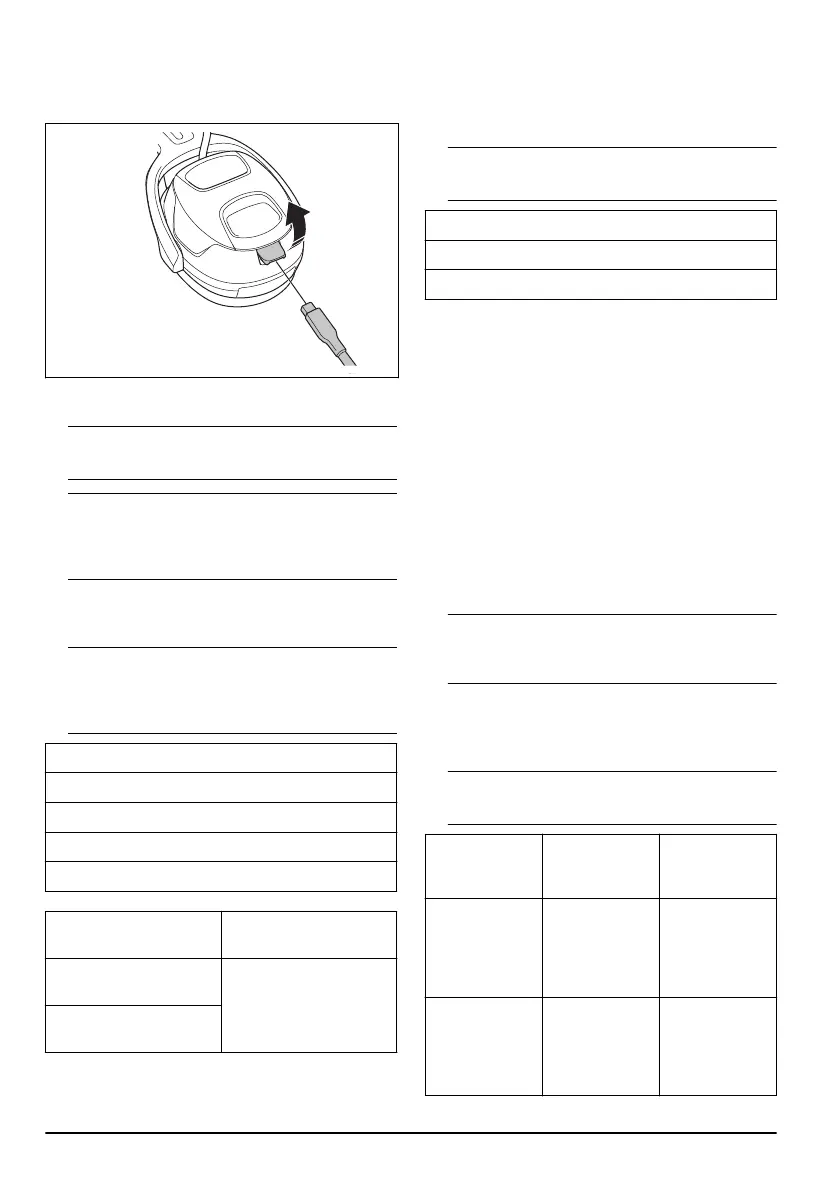
To charge the product
1. Connect the USB-C connector on the charger cable
to the outlet on the left earmuff.
2. Connect the USB connector on the charger cable to
a USB charger or other USB power outlet.
Note: The output of the power outlet must be 5 V
and 2 A to charge at maximum capacity.
Note: The LED indicator on the Bluetooth
®
button
flashes slowly green when the battery is charging.
The LED indicator on the Bluetooth
®
button is solid
green when the battery is fully charged.
To start the product
• Push and hold the on/off button for 1 second.
Note:
A beep sound tells you that the product is
on. An audio message tells you the battery status
and the quantity of devices that are connected with
Bluetooth
®
wireless technology.
Audio message
BATTERY HIGH
BATTERY MEDIUM
BATTERY LOW
BATTERY CRITICAL
Audio message LED indicator on the
Bluetooth
®
button
ONE BLUETOOTH DE-
VICE CONNECTED
LED is blue.
TWO BLUETOOTH DEVI-
CES CONNECTED
To change between FM radio mode and
Bluetooth
®
mode
• Push the mode button quickly 2 times to change
between FM radio mode and Bluetooth
®
mode.
Note: An audio message tells you which mode
you have selected. Refer to the table below.
Audio message
RADIO
BLUETOOTH
FM radio mode
In FM radio mode you get access to FM radio.
To change FM radio station
• Push and hold the volume up button or the volume
down button for 1 second to change FM radio
station.
Bluetooth
®
mode
In Bluetooth
®
mode you can connect your product to a
device with Bluetooth
®
wireless technology.
To do a Bluetooth
®
pairing operation
1. Push and hold the Bluetooth
®
button for 2 seconds
to start the pairing operation on your product.
Note:
The pairing operation starts when you hear
a beep sound and the Bluetooth
®
button flashes
blue. The pairing operation is on for 30 seconds.
2. Start the pairing operation for Bluetooth
®
wireless
technology on the device.
3. If it is necessary, select Husqvarna X-COM Active in
the list of units on your device.
Note:
An audio message tells you about the
product status. Refer to the table below.
Audio message LED indicator on
the Bluetooth
®
button
Information
BLUETOOTH
DEVICE CON-
NECTED
Solid blue. The product is
connected to a
device with Blue-
tooth
®
wireless
technology.
BLUETOOTH
CONNECTION
FAILED
Solid red for 2
seconds.
The product is
not connected to
a device with
Bluetooth
®
wire-
less technology.
8 2146 - 003 -



 To Next Page
 Loading...