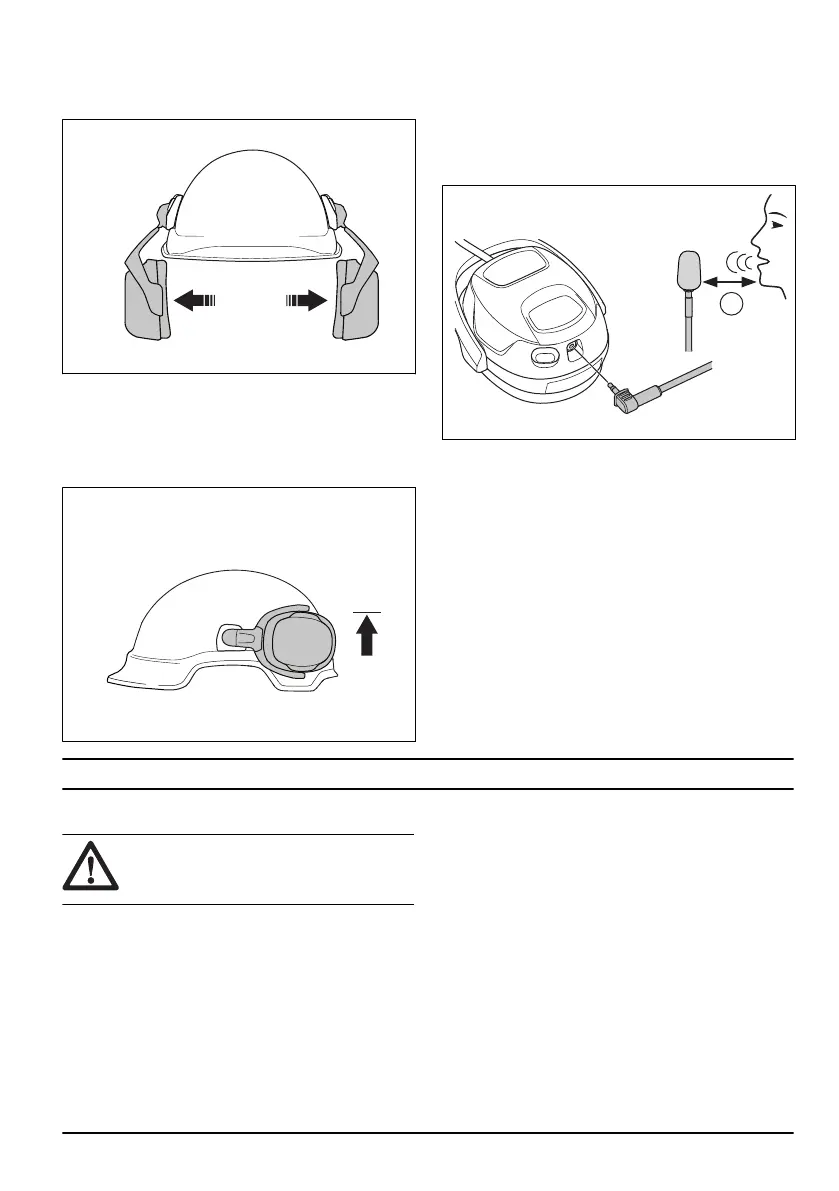
To put the earmuffs in standby position
• Lift the earmuffs out and up until they lock in standby
position.
To put the earmuffs in parking position
1. Put the earmuffs in standby position. Refer to
To put
the earmuffs in standby position on page 7
.
2. Turn the earmuffs rearward along the side of the
helmet until they lock in the parking position.
To connect the boom microphone
Use a boom microphone in environments with much
noise.
1. Attach the wind filter on the boom microphone.
2. Connect the boom microphone to the microphone
outlet on the right earmuff.
3. Put the boom microphone 1 cm/0.4 in. (A) from your
mouth.
Operation
Introduction
WARNING: Before you operate the
product, you must read and understand the
safety chapter.
2146 - 003 - 7



 To Next Page