Product Description
DOCUMENT HQI-J-FC1-001
ES_DATE 2019-07-19
Fundus camera
HFC-1
RE_DATE 2020-06-08
REV R-3 PAGE 31 / 36
Q-I-300-02(R1):2018/06/04 Huvitz Co.,Ltd
3. System exterior
① Keep system exterior clean with a soft close. For severe stains, wipe with a soft cloth with
neutral detergent diluted with water. Do not use organic solutions such as thinner or benzene.
② Wipe the touch screen with dry soft cloth. Do not use sponge or cloth soaked with large amount
of liquid.
③ Do not press hard or place magnetic objects near the touch screen.
4. Part of patient contact
① Wipe the headrest and the chinrest with a clean cotton swab or gauze. For severe stains, use a
soft cloth with alcohol.
② Remove a single sheet of chinrest paper if the chinrest paper is used.
5. Others
① Cover device with dustcover for unused storage for a long time.
② Clean headrest and chinrest with alcohol before sending device to authorized agent or Huvitz for
maintenance.
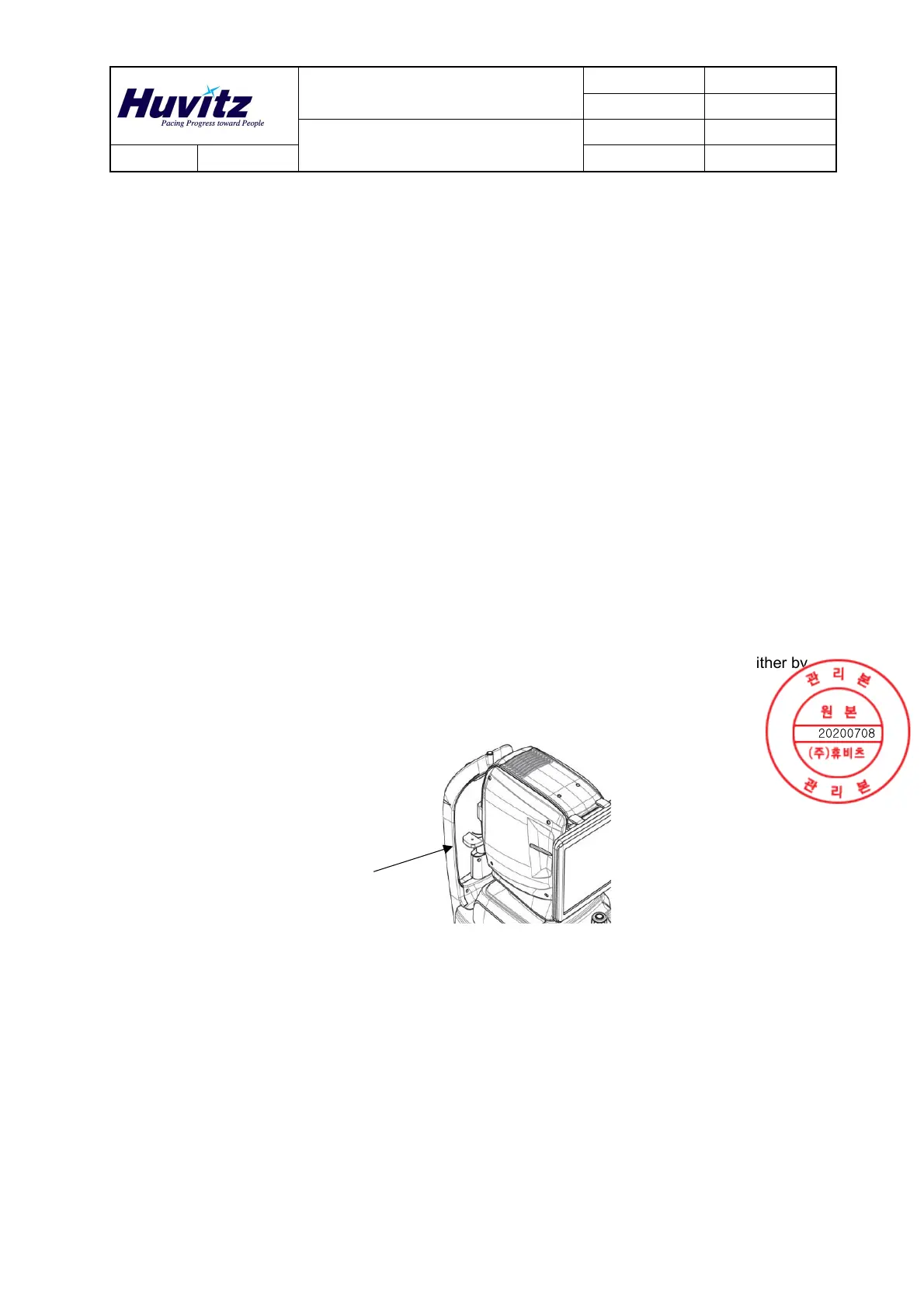
③ The rubber ring inserted to conceal the wires may be out during use. It can be used either by
inserting it again or by removing it.
Rubber
ring


 To Next Page