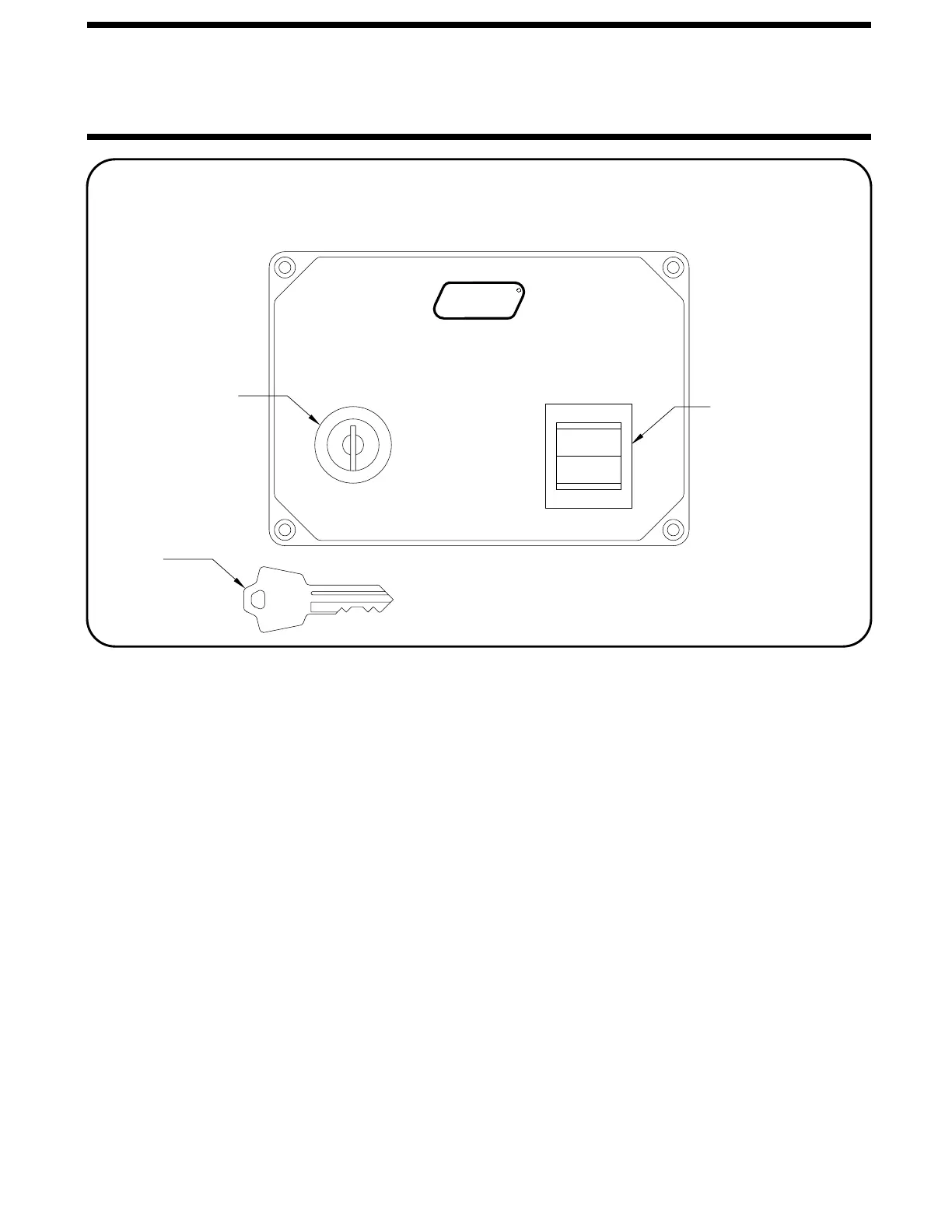
CONTROL FUNCTIONS
CONTROL IDENTIFICATION
MP24.4565
08FEB10
CORPORATION
H
CAUTION!
CLEAR OF ROOM WHEN OPERATING.
UNDERSTAND OPERATOR’S MANUAL BEFORE
USING. KEEP PEOPLE AND OBSTRUCTIONS
HYDRAULIC ROOM EXTENSION
OFF
ON
RETRACT
H
W
R
EXTEND
ROOM CONTROL
SWITCH
KEY SWITCH
The KEY SWITCH controls power to the ROOM
CONTROL SWITCH. When the KEY SWITCH is in the "ON"
POSITION the room can be operated, and the key cannot be
removed. When the KEY SWITCH is in the "OFF" position
the room cannot be operated, and the key can be removed.
The ROOM CONTROL SWITCH
is a two position momentary switch. Pressing the switch in
the EXTEND POSITION will extend the room. Pressing the
switch in the RETRACT POSITION will retract the room. Re-
leasing the ROOM CONTROL SWITCH will halt the operation
of the room.
ROOM OPERATOR’S PANEL
KEY
KEY SWITCH: ROOM CONTROL SWITCH:



 To Next Page