
 Need help?
Do you have a question about the HybridLight HEX and is the answer not in the manual?
Instructions for charging the Hex device using a micro USB cable and power source, noting the LED indicator color changes.
Guidance on recharging the Hex using the solar panel under natural sunlight, with the red indicator light illuminating.
Steps to enable Bluetooth on your device and pair it with the Hex, indicated by a green light.
Instructions for playing music through the Hex via Bluetooth, including playback controls and volume adjustment.
Procedure for connecting an audio device via a 3.5mm cable and playing audio through the Hex in AUX mode.
Guide on tuning into FM radio stations and adjusting volume using the Hex device.
Instructions for playing MP3 music from a Micro SD card inserted into the Hex.
Steps to use the Hex as a charger for external mobile devices via its USB port.
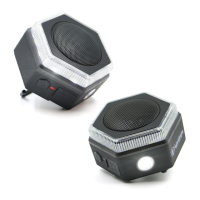
Details on operating the lantern and flashlight functions, including brightness adjustment and blinking.
 General
| Waterproof | Yes |
|---|---|
| Power Source | Rechargeable Battery |
| Water Resistance | IPX5 |
| Built-in Light | Yes |
| Type | Bluetooth Speaker |
| Features | Bluetooth speaker |
| Wireless Range | 30 ft |

 To Next Page