User Manual | Temperature Controller Display HIB123 Part-No.: 3756766 Doc.-Version: I
1. GENERAL NOTES
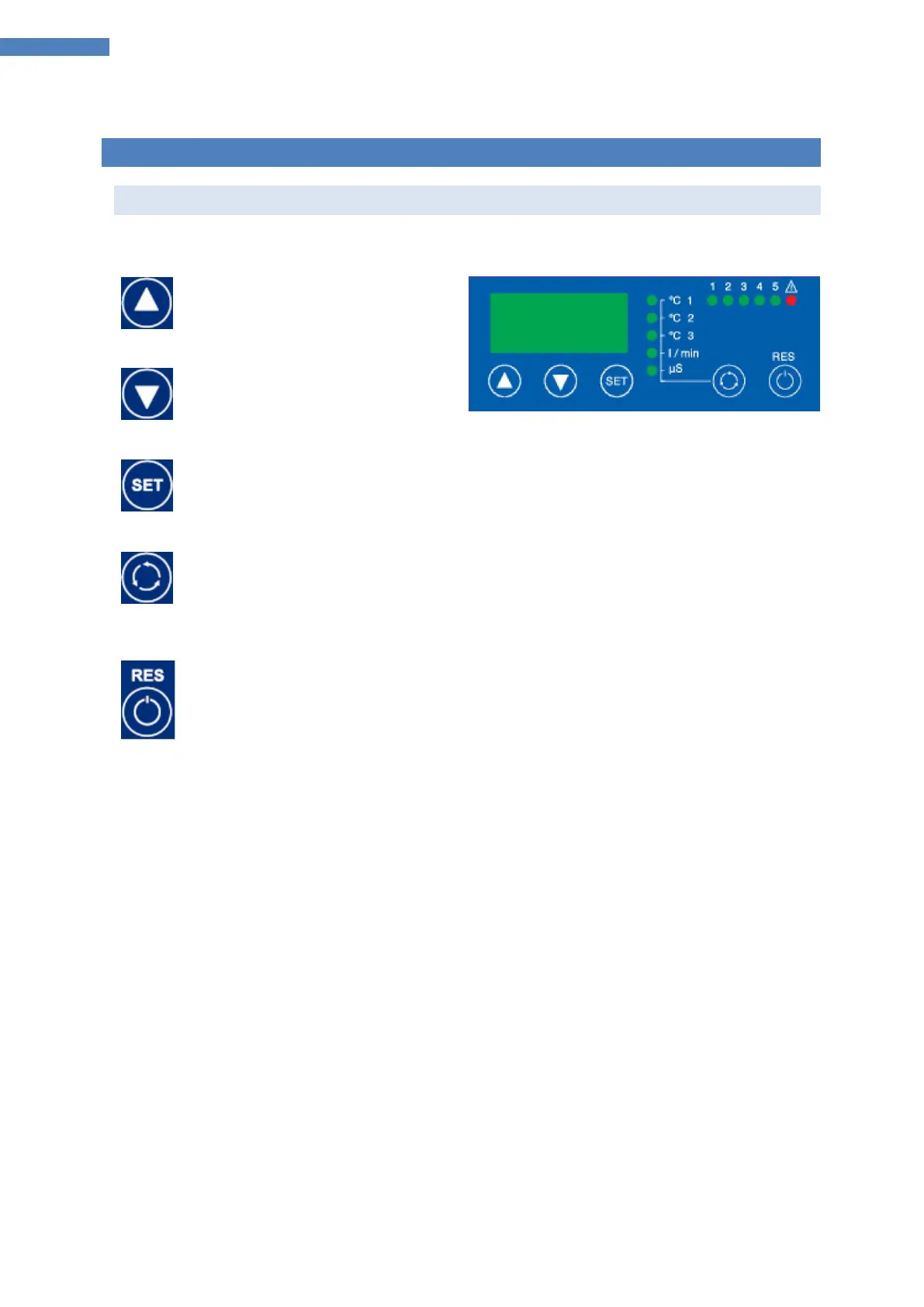
a) Control Elements
The display is operated by pressing keys.
Key 1 UP
Increase a value
Navigation
Key 2 DOWN
Decrease a value
Navigation
Key 3 SET
Show set point value
Show/Change a parameter value
Enter a parameter level (Menus)
Key 4 SELECT
Change between actual values: actual temperature, flow rate, conductance
Key 5 RESET (short press on key)
Reset errors
Exit the parameter level
Key 5 POWER / STANDBY (long press on key)
Chiller on / Chiller off
Attention: The device is in standby still energized!
Abbreviations:
KK = coolant circuit



 To Next Page