
 Need help?
Do you have a question about the HYPE HY-2010-TP and is the answer not in the manual?
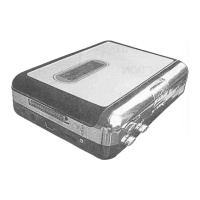
Identifies and lists the various parts of the Tape-to-MP3 player for user reference.
Initial setup for recording cassettes to a Windows PC using the Tape-to-MP3 player.
Provides step-by-step instructions for installing the Audacity software required for recording.
Guides the user on how to launch the Audacity application after installation.
Explains the functions of the playback control toolbar within the Audacity software.
Details the process of playing a cassette using the Tape-to-MP3 player.
Instructs on how to adjust input and output volume levels for optimal recording quality.
Describes how to initiate and manage the audio recording process from cassette to PC using Audacity.
Explains how to configure Audacity preferences for audio input and playback settings.
Instructions on how to stop the recording process and save the project file in Audacity.
Details how to select the entire recording within Audacity for editing audio levels.
Guides users on selecting audio effects from the Audacity menu, focusing on 'Normalize'.
Explains how to use the 'Normalize' effect in Audacity to adjust audio amplitude.
Describes how to use the cursor to select noise and apply noise reduction in Audacity.
Details the process of using Audacity's 'Noise Removal' window to reduce unwanted audio noise.
Instructions on finalizing the noise reduction process by clicking 'Remove Noise' in Audacity.
Details the functions of various buttons within the Audacity editing toolbar.
Explains the purpose and usage of different tools available in the Audacity tools toolbar.
Describes how to use the selection tool to mark specific audio segments for editing operations.
Explains how to adjust the boundaries of an audio selection using the SHIFT button in Audacity.
Instructs users to perform the 'Cut' operation on a selected audio segment via the Edit menu.
Guides users on exporting their recorded audio into the MP3 file format using Audacity.
Provides a link for further details on Audacity software and its operating instructions.
Provides guidance on the environmentally responsible disposal of the electronic product.
Explains the WEEE Directive concerning the disposal of waste electrical and electronic equipment.
Details the meaning of the WEEE logo and user responsibility for proper waste disposal.
Explains the ROHS Directive aimed at limiting hazardous substances in electronic equipment.
Lists conditions under which the product's guarantee or warranty will be considered invalid.
Outlines the conditions and responsibilities related to the product's warranty.
Details warranty limitations, proof of purchase requirements, and exclusions for physical abuse or unauthorized repairs.
Specifies circumstances where the supplier is not liable, including accidents, misuse, and unauthorized modifications.
Details the conditions of warranty coverage, including a 12-month period for Hype products.
Lists consumable parts, wear-and-tear items, and cosmetic differences as non-warrantable.
Explains Hype's policy on product exchange, repair costs, and ownership of replaced parts.
Excludes warranty claims for unauthorized repairs or use of unapproved accessories or parts.
Provides instructions on how to contact the Hype Service Center for hardware issues and problem diagnosis.
Details how to package and send the product for warranty service, including RMA marking and proof of purchase.
Explains Hype's policy for service claims that fall outside the standard warranty period and associated costs.
Reiterates that packages without an approved RMA number will not be accepted for service.
 General
| Display | Yes |
|---|---|
| Memory Card Support | microSD |
| Storage Capacity | 8 GB |
| Display Type | TFT |
| Supported Formats | MP3, WMA |
| FM Radio | Yes |
| Voice Recording | Yes |
| Display Size | 1.8 inches |
| Battery | Built-in rechargeable |
| Expandable Storage | Up to 32GB |

 To Next Page