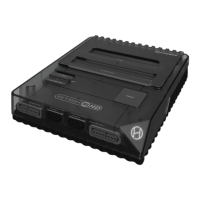
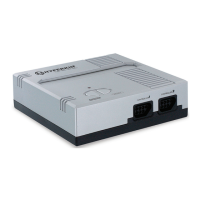
The Hyperkin RetroN HD is a premium retro gaming console designed for the Nintendo Entertainment System (NES). It allows users to play original NES cartridges on modern displays, offering both high-definition (HD) and standard-definition (AV) output options. The console is designed with a classic aesthetic, featuring a sleek, compact form factor and a user-friendly interface.
Function Description:
The primary function of the RetroN HD is to provide a modern platform for playing classic NES games. It achieves this by accepting original NES game cartridges and outputting the video and audio signals to a television or monitor. The console supports both HD output via an HD cable and standard AV output via an AV cable, catering to different display setups. It includes two controller ports, allowing for single-player or two-player gaming experiences. The console is compatible with the included Hyperkin "Cadet" classic-style controllers, as well as original NES controllers.
Important Technical Specifications:
- Output Ports:
- HD Output Port: For high-definition video and audio output.
- AV Port: For standard-definition composite video and stereo audio output.
- Input Ports:
- Micro USB Port: For power input.
- Controller Port 1 & 2: For connecting NES-compatible controllers.
- Power Source: Requires a Micro USB cable for power. It is strongly advised to use a 5 Volt 1 Amp USB wall AC Adapter if one is not included.
- Cartridge Slot: Designed to accept original NES game cartridges.
- Switches:
- Aspect Ratio Switch: Toggles between 16:9 (LEFT position) and 4:3 (RIGHT position) aspect ratios for HD cable output only.
- Region Switch: Toggles between PAL (LEFT position) and NTSC (RIGHT position) regions for cartridge compatibility.
- Buttons:
- Power ON/OFF Button: To turn the console on and off.
- Reset Button: To reset the game while the console is on.
- Indicator Light: The Hyperkin Logo on the right-hand side of the console lights up BLUE when powered on.
Usage Features:
- Easy Setup:
- HD Cable Setup:
- Insert the HD cable into the OUTPUT PORT on the RetroN HD.
- Insert the other end of the HD cable into the HD input on your HDTV.
- Insert the Micro USB cable into the MICRO USB PORT on the RetroN HD.
- Insert the other end of the Micro USB cable into a power source (e.g., a 5 Volt 1 Amp USB wall AC Adapter).
- Plug the AC adapter into a power outlet.
- AV Cable Setup:
- Insert the AV cable into the AV PORT on the RetroN HD.
- Insert the other end of the AV cable into the AV input on the TV.
- Aspect Ratio and Region Configuration: Before powering on the console, users must configure the aspect ratio (for HD cable output) and region settings. The Aspect Ratio Switch is located on the back of the console, and the Region Switch is located on the bottom.
- Playing NES Cartridges:
- Insert the NES cartridge into the CARTRIDGE SLOT.
- Turn ON the RetroN HD by pressing the POWER button.
- To reset the game, press the RESET button while the console is on.
- To turn off the console, press the POWER button again.
- Controller Compatibility: The RetroN HD comes with a premium classic-style "Cadet" controller. For two-player games, a second controller can be inserted into CONTROLLER PORT 2. The console is also compatible with original NES controllers.
- Power Indicator: The Hyperkin logo on the console illuminates blue when the device is powered on, providing a clear visual indication of its operational status.
Maintenance Features:
- Power Management: Always ensure the console is turned off when not in use to conserve power and prevent potential wear.
- Proper Power Supply: Use the recommended 5 Volt 1 Amp USB wall AC Adapter to ensure stable power delivery and prevent damage to the console.
- Careful Handling: Handle cartridges and cables with care to avoid damage to the connectors and ports.
- Cleaning: Keep the console and its ports free from dust and debris to ensure optimal performance and longevity. Avoid using harsh chemicals for cleaning.
- Warranty Registration: Users are encouraged to visit www.Hyperkin.com/warranty to register their product for Hyperkin's official warranty, which can be useful for any potential issues or repairs.
The RetroN HD is a product of Hyperkin®, a company dedicated to "PLAY WELL. LIVE WELL." It is important to note that this product is 100% NOT official and is NOT manufactured, guaranteed, sponsored, endorsed, or approved by Nintendo. Product features, appearances, and specifications may be subject to change without notice.

 Need help?
 General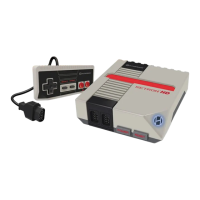

 To Next Page