Document No. 480HX-HSCOS.A02
HyperX Cloud Orbit Software
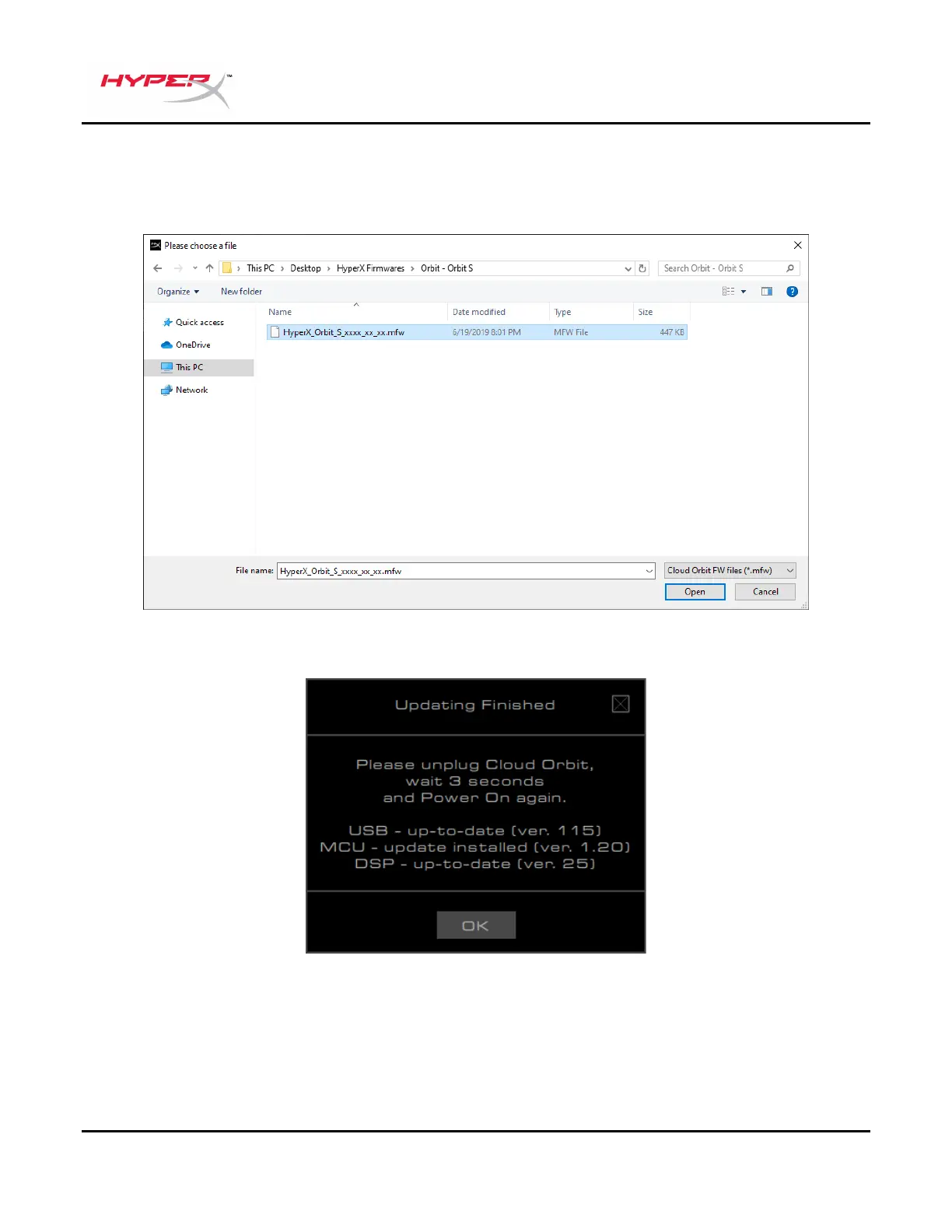
6. Select the correct .mfw file for your headset model (Orbit, Orbit S).
a. Refer to the Orbit / Orbit S support page in hyperxgaming.com/support/headsets to
download the latest firmware.
7. Wait for the headset to finish updating.
8. Once the headset is finished updating, a prompt will pop up.
9. Unplug the USB cable from the headset.
10. Wait 3 seconds, then power on the headset again.
The headset update is now complete.



 To Next Page