EasyManua.ls Logo

HYT TC-300 - User Manual

HYT TC-300
34 pages
Print Icon
To Next Page IconTo Next Page
Loading...
1
Preface
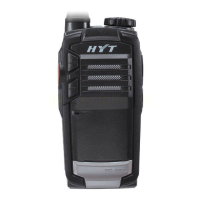
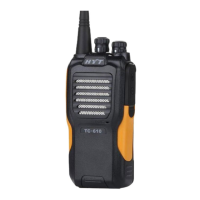
Thank you for your purchase of the HYT TC-300 Business Radio. TC-300 is unique for its
compact and delicate body. The customized wrist strap will give you exceptional
experience of portability, which especially suits for drivers and hotel staff.
This easy-to-use radio will deliver you secure, instant and reliable communications at
peak efficiency. Please read this manual carefully before use. The information presented
herein will help you to derive maximum performance from your radio.
MODELS COVERED IN THIS MANUAL
TC-300 UHF Two-way Radio

Questions and Answers

  • S
    Samuel HayesAug 1, 2025
    What to do if my HYT TC-300 cannot power on?
    • L
      Lisa JonesAug 2, 2025
      If your HYT Two-Way Radio won't power on, it could be due to a dead battery. Try recharging the battery or replacing it with a new one. Another possibility is that the battery isn't properly installed. Remove the battery and reattach it to ensure it's correctly connected.
  • J
    Jordan BurnsAug 7, 2025
    Why is the operating time of my HYT TC-300 Two-Way Radio shorter than normal?
    • M
      Michael HinesAug 7, 2025
      If the operating time of your HYT Two-Way Radio is noticeably shorter than normal, even after a proper charge, it could be that the battery has worn out and needs replacing. Alternatively, the battery might not be fully charged. Ensure you remove it from the charger only after the charger LED turns green.
  • H
    hermanteresaAug 11, 2025
    What to do if I can't talk to or hear group members on my HYT TC-300?
    • A
      Antonio BarnesAug 11, 2025
      If you cannot communicate with group members on your HYT Two-Way Radio, ensure all radios are set to the same channel and have matching CTCSS/CDCSS settings. Also, confirm that you are within the communication range of your group members.
  • S
    shawn60Aug 17, 2025
    Why is there no voice or low voice when transmitting on my HYT Two-Way Radio?
    • K
      Kristen ScottAug 17, 2025
      If you experience no voice or low voice while transmitting on your HYT Two-Way Radio, first make sure the volume control knob is set to the maximum level. If the issue persists, it might be a microphone problem, and you should send the radio to your dealer for microphone detection.
  • A
    Alexandra JacksonAug 21, 2025
    How to stop hearing non-group members on my HYT Two-Way Radio?
    • M
      Michael NorrisAug 21, 2025
      If you are hearing non-group members on your HYT Two-Way Radio, send the radio to your dealer to change your CTCSS/CDCSS settings. Your group members should do the same.
  • E
    Evan RodriguezAug 27, 2025
    Why is there constant noise on my HYT TC-300 Two-Way Radio?
    • A
      andreagallowayAug 27, 2025
      If you are experiencing constant noise on your HYT Two-Way Radio, it could be because group members are too far away. Move within the communication range and power cycle the radio.

Summary

Safety and General Information

RF Exposure and Compliance

Details RF energy generation, compliance standards, and safety guidelines.

Safety Guidelines and Usage

Explains electromagnetic interference and defines occupational use.

Operating Precautions

Covers crucial handling, usage, and environmental safety guidelines.

Product Inspection

Radio Overview

Battery Information

Initial Use and Charging

Details initial battery charging procedures and tips for optimal performance.

Battery Maintenance

Provides guidance on prolonging battery life and proper storage.

Assembly and Disassembly

Attaching the Battery

Step-by-step guide to install the battery onto the radio.

Antenna Attachment

Belt Clip Attachment

Earpiece;Microphone Connection

General Radio Operations

Powering the Radio On;Off

Procedure for powering the radio on and off.

Transmitting and Receiving

Basic procedures for sending and receiving audio using PTT.

Advanced Operations

CTCSS;CDCSS Settings

Configuration for tone squelch to filter unwanted calls.

Battery Save Feature

How the radio conserves battery power in standby.

Low Battery Alert and VOX

Alerts for low battery and description of hands-free VOX transmission.

Troubleshooting

Common Issues and Solutions

Addresses typical radio problems like power, sound, and connection issues.

Troubleshooting Guide

Provides further solutions for radio operational problems.

HYT TC-300 Specifications

General IconGeneral
BrandHYT
ModelTC-300
CategoryTwo-Way Radio
LanguageEnglish

Related product manuals