EasyManua.ls Logo

HYT TC-320 - User Manual

HYT TC-320
24 pages
Print Icon
To Next Page IconTo Next Page
Loading...
Preface
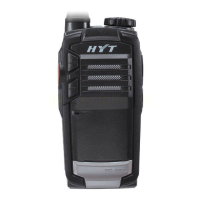
Thank you for purchasing HYT TC-320 Business Radio. TC-320 is unique for its compact
and delicate body. It is ergonomically designed to give you exceptional experience of
portability.
This easy-to-use radio will deliver you secure, instant and reliable communications at
peak efficiency. Please read this manual carefully before use. The information presented
herein will help you to derive maximum performance from your radio.
MODELS COVERED IN THIS MANUAL
TC-320 UHF Two-way Radio

Other manuals for HYT TC-320

Questions and Answers

  • R
    Ronald Sanchez DDSJul 27, 2025
    How to fix HYT Radio that cannot power on?
    • A
      Amanda MaloneJul 27, 2025
      If your HYT Radio won't power on, it could be due to a dead battery. Try recharging the battery or replacing it with a new one. Another possibility is that the battery isn't correctly installed. Remove the battery and reattach it to ensure it's properly connected.
  • S
    Samuel MarquezAug 2, 2025
    Why can't I talk to group members on my HYT Radio?
    • D
      Diamond CampbellAug 2, 2025
      If you cannot talk to or hear group members on your HYT Radio, ensure that you are on the same channel. Check if the Channel Lock function is enabled or if other channels are locked. If you rotate the Channel Selector knob with Channel Lock enabled, the current channel number won't change. Also, verify that all radios have the same channel and CTCSS/CDCSS settings, and confirm that you are within the communication range of your group members.
  • K
    Kristin ShieldsAug 7, 2025
    Why is my HYT Radio battery life so short?
    • T
      Tyler ThomasAug 7, 2025
      If the operating time of your HYT Radio is noticeably shorter than normal, even with a fully charged battery, it could be that the battery has worn out and needs replacement. Alternatively, ensure that the battery is fully charged by checking if the charge indicators glow green.
  • J
    Joseph YoungAug 14, 2025
    What to do if I hear non-group members on my HYT Radio?
    • L
      lisa41Aug 14, 2025
      If you hear non-group members on your HYT Radio, send the radio to your dealer to change your CTCSS/CDCSS settings, and ask your group members to do the same.
  • J
    Jacqueline MarshAug 20, 2025
    Why is there no voice while transmitting on my HYT Radio?
    • S
      smithcrystalAug 20, 2025
      If you experience no voice or low voice while transmitting on your HYT Radio, ensure that the volume is turned up to its maximum value. If the issue persists, send the radio to your dealer for microphone examination.

Summary

Preface

Models Covered

Lists the specific radio model covered in this user manual.

Safety Information

Product Inspection

Included Accessories

Lists and visually identifies the accessories provided in the product package.

Radio Overview

Radio Components Identification

Identifies and labels the various physical controls and features of the radio.

Status Indicator and Alerts

Explains the meaning of different status indicator lights and alert tones.

Battery Information

Initial Use and Charging

Instructions for first-time battery charging and initial setup.

Battery Pack Precautions and Life

Safety warnings, disposal, and tips for prolonging battery lifespan.

Charging the Radio

Step-by-step guide on how to charge the radio's battery using provided chargers.

Antenna Information

Antenna Characteristics

Details on the stubby antenna's durability and factors affecting communication range.

Assembly and Disassembly

Battery Installation and Removal

Detailed steps for correctly attaching and detaching the battery pack.

Antenna Installation and Removal

Instructions for installing the antenna and removing it from the radio.

Belt Clip Attachment and Removal

Instructions for attaching and detaching the belt clip to the radio.

Accessory and USB Port Usage

How to connect external audio accessories and USB devices to the radio's ports.

Basic Operations

Power, Volume, and Channel Management

How to turn the radio on/off, adjust volume, and select channels.

Transmitting and Receiving

Core functions for sending and receiving voice communications via the PTT button.

Programmable Key Functions

Overview of auxiliary functions that can be assigned to the Side Key.

Advanced Operations

CTCSS;CDCSS and Battery Save

Configuring privacy codes and enabling automatic battery-saving features.

Power Adjust and Time-out Timer

Adjusting transmission power levels and setting limits for continuous transmit time.

Battery Strength Indicator

How to check the current battery charge level using the indicator.

Monitor and Squelch Modes

Using modes to unmute the speaker to hear all signals or reduce background noise.

Scan Operation

Process for automatically searching through channels for incoming activity.

Busy Channel Lockout (BCL)

Prevents transmitting on a channel that is already in use.

Low Battery Alert and VOX

Warning indicators for low battery and enabling voice-activated transmission.

VOX Operation Details

Specific steps, instructions, and notes for using the voice-activated transmit feature.

Troubleshooting

Power and Performance Fixes

Solutions for issues like radio not powering on or battery performance problems.

Communication and Audio Fixes

Troubleshooting steps for problems with talking, hearing, or voice quality.

Care and Cleaning

Radio Handling and Maintenance

Guidelines for proper handling and routine maintenance to ensure device longevity.

Cleaning Instructions

Recommended methods for cleaning the radio to remove dirt and debris safely.

HYT TC-320 Specifications

General IconGeneral
Channel Capacity16
Output Power2W
IP RatingIP54
Frequency Range400-470MHz
Operating Voltage3.7V
BatteryLi-ion
Dimensions100 x 48 x 27mm

Related product manuals